100 sales video tips for a pitch people watch to the end
Most sales videos die in the first 15 seconds. The rep opens with their name, their company and a slow pan across a slide, and the prospect is already back in their inbox.
This list is for SDRs, founders and SaaS sales teams who record pitches, demos and prospecting videos and want people to reach the end of them. Every tip that makes a claim links to the source, with the year, so you can check the number yourself. The data comes from Wistia's 13 million video analysis, Vidyard's benchmark of 943,000 business videos, Gong's 3 million recorded demos, Salesloft's 134 million email study, and a stack of peer-reviewed work on audio, captions and eye contact.
Where a tip changes because your video runs as a booked session rather than an email attachment, the item says so.
Your pitch on repeat. You only when it counts. Webinar Flow lets you record your demo once, let prospects book a time and watch it as a live session, and buzzes your phone when a real question comes in so you can answer in chat or pause the recording and go live on camera. Free to start, no card needed.
Before you hit record
1. Decide the one action you want at the end. Book a call, reply to the email, start a trial. One. Atlassian's Loom playbook has you write the ask before anything else, then build the video backwards from it: 30 seconds for the ask, a minute of context, then 3 to 4 minutes going deeper, all under 5 minutes (Atlassian, 2025). If you can't name the action, don't record yet. A Webinar Flow session has one built-in action, the offer card, which fires at the timestamp you set, so the ask arrives on screen without you having to say "and finally".
2. Pick the format for the job. Vidyard's benchmark tracks 4 sales video types: webcam, screen share, playlist and FAQ (Vidyard, 2025). A cold intro is a webcam job. A "here's how it would work for you" is a screen share with your face in the corner. A recorded demo that prospects book into is a third thing entirely, and the last section of this post is about that one.
3. Research the prospect before you research the lighting. Gong's analysis of 30,000 prospecting emails found 87% of buyers say the emails they get don't address a relevant challenge, and that industry-specific personalisation lifted reply rates 88% (Gong, 2024). A video with the wrong problem in it is a longer version of the same failure. For a booked session the research is lighter, because the prospect self-selected by booking, but the first line still has to name the problem they came for.
4. Write a script, even for a 45-second video. Pipedrive's pitch-video steps put "script it out" third, before you touch a camera (Pipedrive, 2025), and PlayPlay's guide says the same: have a script ready so you don't falter (PlayPlay, 2025). A script stops the 3 restarts and the 20-second ramble. You won't read it word for word (see tip 58), but you'll know the first line, the proof point and the ask cold. Bullet points on a sticky note next to the lens work fine (IMPACT, 2024).
5. Know the two numbers that matter before you start. Vidyard's 2025 benchmark: 65% of viewers finish a business video under 60 seconds, and 20% finish one over 20 minutes (Vidyard, 2025). Everything you decide about length lives between those two figures. The 65% is why prospecting videos are short. The 20% is why a 20-minute demo needs to be booked rather than sent.
6. Build a folder of reusable clips. Leadfeeder's best-practice list has you pre-record the departmental explanations (security, pricing, onboarding) that every deal asks for, and use them as handoffs between teams (Leadfeeder, 2024). Record them once, well, on a good day, and you'll never explain your SSO setup at 5pm on a Friday again. A recorded pitch on Webinar Flow is that idea taken to its end: the whole demo is the reusable clip, and the AI answers the repeat questions it has already heard.
7. Clear your screen and your notifications. TechSmith's demo guide has you pick your audio sources and turn off system notification tones so a Slack ping doesn't land in the take (TechSmith, 2025). Close the tabs with client names in them. Nielsen's eyetracking showed viewers' attention wanders to anything visible behind or beside the speaker (Nielsen Norman Group, 2005).
8. Decide who's in the video. Gong's call data, quoted in Vidyard's prospecting guide, found webcams were used 41% more often in closed deals than in lost ones (Vidyard, 2025). Loom's demo guide says the same thing about webcam bubbles: they add the human touch a faceless voiceover lacks (Atlassian, 2025). Put yourself in it.
9. Plan the questions you want asked. In Gong's 3 million demo analysis, buyers in top reps' demos asked 28% more questions (Gong, 2024). In a one-off video you can't get questions, so you plant them in the script ("you're probably wondering about pricing"). In a booked session on Webinar Flow you plant them as seeded prompts and polls at the exact moment, and real viewers ask their own on top.
10. Do a 10-second test take and watch it back. Check framing, sound, lighting and the bit of ceiling in the top of the frame. Every professional does this and most reps skip it. It costs 30 seconds and saves a re-record. Watch it on your phone, too, because that's where a good share of prospects will see it, and a caption that's legible on a 27-inch monitor can vanish on a 6-inch screen.
Script and structure
11. Open on the prospect's problem, never on you. Wistia's rule is "put the good stuff in the beginning": interest declines from the first second, so anything you need seen goes in the first shots (Wistia, 2024). Your name and title are the least good stuff you have.
12. Use "why them, why you, why now, then the ask." That's Vidyard's 4-part structure for early-stage sales videos (Vidyard, 2024). It forces the personalisation into the first line and pushes the pitch to the middle, where it belongs.
13. Cap the company overview at 2 minutes. Gong found win rates fall off once the "about us" section runs past roughly 2 minutes (Gong, 2023). In a 60-second prospecting video that's zero seconds of company history. In a 20-minute recorded demo it's one slide. If you must have history, make it one sentence that's about them: "we built this for 40 support teams your size."
14. Never pitch for more than 76 seconds without a break. Gong's 67,149-demo study didn't find a single closed deal where the rep pitched uninterrupted for more than 76 seconds (Gong, 2024). In a recording there's no buyer to interrupt you, so build the interruptions in: a question, a poll, a cut to a different screen. On Webinar Flow the seeded prompts do this job at the timestamps you choose.
15. Talk features 39% less than feels natural. Gong's top reps spent 39% less time on features than average reps (Gong, 2024). Every feature you cut is a minute the viewer spends on the outcome instead.
16. Show one workflow end to end rather than 6 features. Loom's demo guide splits intro demos (2 to 3 minutes) from walkthroughs (15 to 30 minutes) and tells you to start with the pain, then the product as the fix, then a strong CTA (Atlassian, 2025). One complete story beats a feature tour every time. If the prospect named one thing on the booking form, that one thing is the workflow.
17. Put social proof in the middle, at the moment of doubt. Zelios' 7-tip list places case studies and data "midway", right after the claim the viewer is least likely to believe (Zelios, 2025). A logo wall at the end is decoration; a customer number at the objection is evidence.
18. Cut every sentence that starts with "as I mentioned." Wistia's engagement graphs show a drop-off before the video ends whenever the presenter starts recapping, because the recap signals "the useful bit is over" (Wistia, 2024). Say it once, then move on.
19. Handle the price on camera. Gong found successful demos discuss pricing between minutes 38 and 46, and 3 to 4 pricing mentions from the buyer correlates with the best win rates (Gong, 2024, Gong, 2023). In a recorded pitch you can't wait for the buyer to raise it, so raise it yourself at the two-thirds mark with a plain number.
20. Use risk-reversal language near the ask. Reps who used it (free trial, cancel any time, money back) saw a 32% higher win rate in Gong's data (Gong, 2023). It's one sentence and it belongs right before the CTA.
21. Spend 4 minutes on next steps in a long demo. Winning demos gave 12.7% more time to next steps, about 4 minutes of logistics (Gong, 2024). In a recorded demo that's a clear "here's what happens when you click this" with the calendar link on screen. Say the next step, show the calendar, and stop. A demo that ends on "any questions?" with no calendar in sight has left the sale to chance.
22. Write the last line first. The CTA is the sentence you'll say most carefully, so draft it before the opening. Pipedrive's list ends every pitch video with one direct ask, after the proof, never before it (Pipedrive, 2025). For more on structure, see 100 sales presentation tips.
The first 10 seconds
23. Earn the first 10 seconds or lose the rest. Wistia's analysis of engagement graphs: a big drop in the first 10 to 15 seconds means the hook isn't delivering (Wistia, 2024). Their retention data puts the average loss in the opening 2% of a 1 to 2 minute video at 4.9%, rising to 17.3% for 5 to 10 minute videos (Wistia, 2024). The practical test: mute the video, watch the first 10 seconds, and ask whether you'd keep going. If the answer is no, you've got a slide, not a hook.
24. Kill the intro animation. Nielsen Norman Group's video usability guidelines say intros should run under 5 seconds (Nielsen Norman Group, 2014). Wistia's retention advice is blunter: avoid lengthy intro graphics and logos entirely (Wistia, 2024). Your logo is on the thumbnail. That's enough.
25. Say their name and their problem in the first sentence. "Hi Sarah, I noticed your team is hiring 3 SDRs this quarter." Vidyard's structure starts with "why them" for a reason (Vidyard, 2024). Personalisation that arrives at second 40 arrives after most people have left.
26. Show, don't announce. Wistia's retention hooks: demonstrate the point visually rather than stating it (Wistia, 2024). If the video is about a dashboard, the dashboard is on screen by second 5, not after a slide that says "Dashboard."
27. Hold up the thing. Sendspark's 10 examples are heavy on props: the prospect's product, a whiteboard with their name, their landing page behind you (Sendspark, 2026). HubSpot's reps bought the prospect's product and had it in shot (HubSpot, 2024). A physical object in frame is the fastest proof this wasn't a template.
28. Match the opening to the thumbnail's promise. YouTube's own guidance: high retention in the first 30 seconds means the thumbnail and title set the right expectation (YouTube Help, 2025). If the thumbnail says "your churn dashboard" and the video opens with your bio, you've broken the promise.
29. State the length up front. "This is 90 seconds." NN/g recommends showing duration and presenter info before play (Nielsen Norman Group, 2014). A viewer who knows the cost of watching is more likely to pay it.
30. In a booked session, the first 10 seconds are a greeting, not a hook. The viewer already chose the time and clicked in, so the hook did its job on the booking page. Open the way you'd open a live call: "Thanks for joining, I know you're looking at [problem], here's what we'll cover." On Webinar Flow the booking page is the thumbnail, and the recording starts with the same warmth a live rep would.
Length and pacing
31. Cold prospecting video: 30 to 60 seconds. Vidyard says about 30 seconds, 60 at most (Vidyard, 2025). Apollo says 30 seconds to a minute (Apollo, 2024). HubSpot's sales blog lands on 45 to 70 seconds (HubSpot, 2024). None of them says 2 minutes.
32. Past 90 seconds, completion falls off a cliff. Sendspark's guide reports a 40% drop in watch-to-completion for outreach videos over 90 seconds (Sendspark, 2026). Their follow-up range is 60 to 90 seconds (Sendspark, 2026). That's the ceiling for anything unsolicited. If it won't fit in 90 seconds, you've got two videos, or one video and a booked session.
33. Under a minute, expect about half of it watched. Wistia's 2026 State of Video, from 13 million videos, puts average engagement on sub-60-second videos at 52%, and 50% for product videos specifically (Wistia, 2026). Plan for the second half to be seen by half the people.
34. Long recorded demos aren't the problem, long recorded demos with no reason to stay are. The same Wistia report shows videos between 5 and 30 minutes average a 9% click-through rate on interactive elements, higher than short ones (Wistia, 2026). And Vidyard's users made 420% more videos over 20 minutes in 2024 than the year before (Vidyard, 2025). Length is fine when the viewer asked for it.
35. Webinar-style replays do best at 31 to 45 minutes. Wistia found replays in that window got more than double the engagement of replays under 30 minutes (Wistia, 2026). That's the length band for a booked, recorded pitch: long enough to be a session, short enough to fit a calendar slot.
36. Marketers say under 10 minutes, and they're talking about a different job. 91% of marketers in HubSpot's survey of 500+ put the optimal marketing video under 10 minutes (HubSpot, 2024). A top-of-funnel explainer and a booked demo are different products. Don't apply one rule to both.
37. Speak at 150 to 170 words a minute. Presentation guides put a comfortable pace at 100 to 150 wpm; the 5 most popular TED talks average 173, from Brené Brown at 154 to Tony Robbins at 201 (VirtualSpeech, 2024). For a sales video, sit at the top of the presentation range. Slow reads as unsure on camera. Record a minute, count the words, adjust. Most reps are slower than they think on camera and faster than they think on a live call.
38. Segment anything over 6 minutes. Philip Guo's analysis of 6.9 million edX sessions found engagement plateaus at about 6 minutes, and that informal talking-head videos beat polished lecture captures (KAIST, 2014; TechSmith, 2025). Mayer's segmenting principle says the same: chunk it and let the viewer control the chunks (Digital Learning Institute, 2024).
39. Change something on screen every 20 to 30 seconds. Wistia's mid-video retention list: vary locations, tighten transitions, add a second speaker, cut the title cards (Wistia, 2024). Descript's version is punch-ins and a second camera angle (Descript, 2025). The viewer's eye needs a reason to stay.
40. In a booked session, pace for pauses. A viewer on Webinar Flow can ask a question mid-playback and the presenter can pause the recording, go live, answer and resume. So end each section on a natural beat, with a half-second of silence, rather than running sentences across the seam. If the presenter jumps in at minute 12, the recording should be able to pick up cleanly at minute 12.
Camera, lighting and sound on a budget
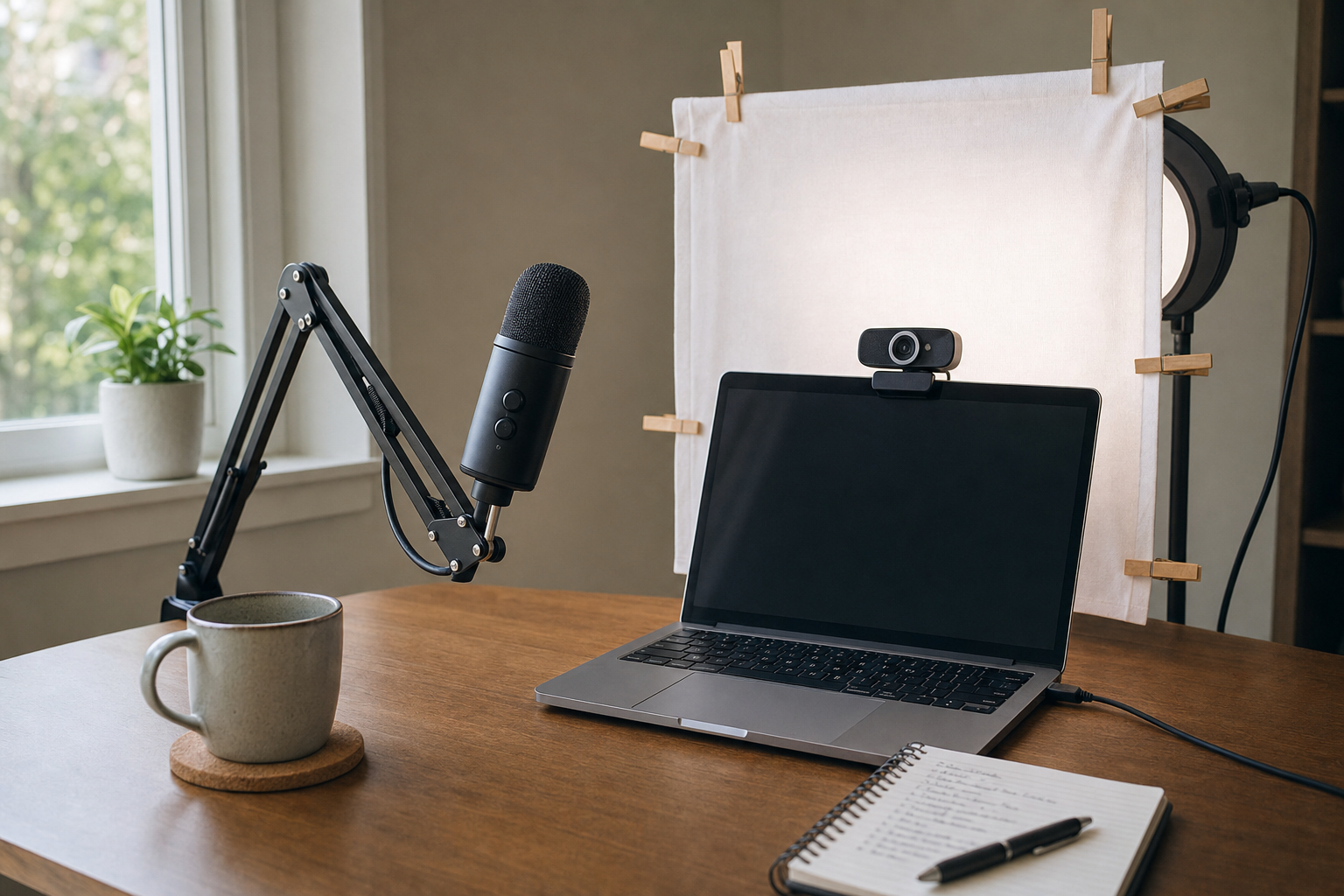
Everything in this section costs under $150, and most of it costs nothing.
41. Fix the sound before the picture. Newman and Schwarz's 2018 study in Science Communication played 196 people the same talks in good and bad audio; with bad audio, viewers rated the speaker less intelligent, less likeable and the content less important (USC Dornsife, 2018). Same words, same face, worse sound, less trust. The fix costs less than a decent lunch, and it's the single biggest upgrade in this list.
42. Use an external mic, always. Riverside's guide calls an external mic "key" to the best possible audio and recommends recording in uncompressed 48kHz WAV (Riverside, 2025). Wistia's basic tier is a Blue Yeti on the desk or a Rode smartLav+ clipped to your shirt (Wistia, 2024). IMPACT prices the Yeti at about $100 (IMPACT, 2024).
43. Wear headphones when you record with someone else. Riverside's guide: headphones let you monitor the audio and stop echo and bleed between speakers (Riverside, 2025). For a solo take, headphones let you hear the fridge hum you'd otherwise miss.
44. Soft, front-lit, slightly above the eyes. Wistia's lighting rule for business video: light from in front and slightly above the eyeline, never from below, and kill the shadows on the face (Wistia, 2024). A single window in front of you does this for free.
45. Never sit with the window behind you. The camera exposes for the bright window and you become a silhouette. Face the window, or put it to one side and bounce the light back with a white posterboard (Wistia, 2024).
46. Build a $137 lighting kit. Wistia's DIY kit is 3 clamp lights, 3 dimmable LED bulbs, a shower curtain cut into squares for diffusion and a bag of clothespins, from a hardware store (Wistia, 2024). Two diffused key lights slightly above the eyeline, 3 to 4 feet apart, one undiffused light on the background. IMPACT's cheaper version is a $21 ring light (IMPACT, 2024).
47. Your phone is a better camera than your webcam. 78% of LinkedIn videos are shot on a smartphone (HubSpot, 2025). Wistia's basic tier lists a phone on a tripod adapter alongside a good USB webcam (Wistia, 2024). Use the rear camera, not the selfie one, and wipe the lens first. Phone lenses live in pockets, and a smeared lens is the difference between crisp and "why does this look foggy".
48. Put the lens at eye level. IMPACT's fix is a laptop stand, a tripod or a stack of books (IMPACT, 2024). A lens below the chin gives the viewer a view up your nose and a presenter who looks down on them. Neither sells.
49. Look 2 degrees below the lens, not at it. A 2025 study in the Journal of Vision found viewers perceived eye contact most strongly when the speaker looked about 2 degrees below the centre of the camera lens (Journal of Vision, 2025). Staring dead into the lens reads as looking slightly up. Put your notes right under the camera and you'll land there naturally.
50. Frame with the rule of thirds. YouTube's thumbnail guidance names it, and it applies to the video too: eyes on the top third line, a little headroom, shoulders in (YouTube Help, 2025). Descript adds a second, wider angle if you want cuts to hide edits (Descript, 2025).
51. Pick a background with a little life in it. Descript suggests a bookshelf, a plant or one piece of art over a blank wall (Descript, 2025). Nielsen's caveat from the other direction: anything busy enough to read will get read instead of you (Nielsen Norman Group, 2005). One interesting thing, out of focus.
52. Quality matters less than you fear. In TechSmith's viewer research, only about 9% of people stopped watching because a video looked low quality (TechSmith, 2025). They stop because it's the wrong content or it's boring; poor content, slow pacing and unclear narration were the other reasons TechSmith listed. Spend the money on the mic and the script, then stop spending.
On-camera delivery
53. Bring more energy than the room needs. The camera flattens you. Vary your pitch: UCLA's Rosario Signorello found speakers with a wide pitch range were judged more charismatic and authoritative (phys.org, 2014). Monotone is the default failure mode of a rep reading a script.
54. Smile with your voice. A 2023 study in Frontiers in Communication had listeners rate speakers using a "smiling voice" higher on every personality trait, including trustworthiness, while creaky voice was rated lower across the board (Frontiers in Communication, 2023). You can hear a smile. So can the prospect.
55. Stand up. Bailenson's Stanford paper on Zoom fatigue lists reduced mobility as one of its 4 causes (Stanford, 2021). Standing fixes your breathing, your gestures and the flat energy that comes from being folded into a chair. If you have to sit, sit on the front third of the chair with your feet flat.
56. Hide your self-view. Same paper: watching yourself all call is one of the 4 causes of fatigue, and the fix is to hide self-view (Stanford, 2021). When you record, cover the preview after your test take. You'll stop fixing your hair mid-sentence.
57. Talk like it's a conversation, because on a booked session it is one. Mayer's personalisation principle: people learn better from conversational language and first person than from formal narration (Digital Learning Institute, 2024). Loom's feedback guide: picture how you'd say it in person, smile, say hi, make a little conversation first (Atlassian, 2025).
58. Don't read. Glance. HubSpot's second pre-recorded video rule is "don't be too scripted" (HubSpot, 2024). Loom's speaker notes and a teleprompter both work if the text is close enough to the lens that your eyes barely move (Atlassian, 2025).
59. Leave some of the ums in. Corley and Hartsuiker (PLoS One, 2011) found that a delay before a word, whether an "um" or a silence, speeds up how fast listeners recognise it (PLoS One, 2011). Descript's editors agree: cut the excess, keep enough that it still sounds like a person (Descript, 2025). A rep with zero fillers sounds like a rep reading, and a prospect trusts a reader less than a talker.
60. Be human rather than perfect. MySalesCoach's tip 2 in full (MySalesCoach, 2026). Guo's MOOC data backs it: informal talking-head videos out-engaged studio-quality lecture recordings (KAIST, 2014). A fluffed word and a grin is proof of a real person on the other end.
61. Gesture inside the frame. Hands that fly out of shot are distracting; hands that never move are worse. Keep them between your chest and your chin, where a mid-shot catches them. Try holding a pen. It gives your hands a job and stops the fidget.
62. Ask a question and pause as if you expect an answer. In Gong's 67,149-demo data, speaker switches rose 36% in the second half of winning demos (Gong, 2024). A recording can't switch speakers, but a 2-second pause after "does that match what you're seeing?" makes the viewer answer in their head. On Webinar Flow that pause is where a real viewer types.
63. Play to an audience of one. A recorded pitch that's watched by one booked prospect at a time needs a different energy from a 200-person webinar. Lower volume, more eye contact, "you" instead of "everyone." Webinar Flow's own numbers: sessions where the viewer interacts show 4× the emotional expression of passive viewing (Webinar Flow, 2026). Record for one person and you'll get that interaction.
Screen recording and demos
64. Record your face and your screen together. Loom's demo guide puts a webcam bubble on every walkthrough for the human touch, and Vidyard's guide carries Gong's finding that webcams show up 41% more in closed deals (Atlassian, 2025; Vidyard, 2025). Put the face bubble bottom-right, away from the navigation, and big enough to read a smile. A screen with no face is a tutorial. A face with no screen is a testimonial. A sales demo is both.
65. Follow the 9-minute rule for the core demo. Gong's 3 million demo study: top reps keep the main product demonstration to around 9 minutes (Gong, 2024). Everything else is set-up, questions and next steps.
66. Set up a clean demo account. Fake data named "Test Test" and a red error banner from last week's bug are what the prospect will remember. Populate it with their industry's names and numbers. Their logo in the header of the demo account takes 5 minutes and gets noticed every time. Vidyard's tip for early-stage videos is "why them" in the first line; a demo account that looks like their business is that tip for the screen.
67. Zoom in on what you're clicking. Mayer's signalling principle: people learn better when cues draw attention to the essential information (Digital Learning Institute, 2024). Loom's playbook has you add arrows, shapes and overlays (Atlassian, 2025). A full-screen capture of a dense UI at 1080p on a phone is unreadable.
68. Record a smaller region, not the whole monitor. Atlassian's Loom guidance is to show exactly the area you're discussing and nothing else (Atlassian, 2025). Pick a window, not a monitor. Your bookmarks bar has no place in a demo.
69. Narrate the outcome, not the click. "Now I click Settings" is a tutorial. "Here's where your finance team sees the invoice go out without asking you" is a demo. Gong's finding that top reps talk features 39% less applies at the click level too (Gong, 2024).
70. Turn off notifications and system sounds before you press record. TechSmith's demo checklist, verbatim (TechSmith, 2025). Do Not Disturb, Slack closed, calendar alerts off.
71. Use Live Rewind or a hard cut instead of restarting. Loom's Live Rewind deletes a mistake without stopping (Atlassian, 2025). If your tool lacks it, clap, pause, restart the sentence and cut it in the edit. Never restart a 9-minute take at minute 7. The viewer never sees the mistake. They see a person who kept going.
72. Add a "for the technical people" chapter rather than answering it mid-flow. Leadfeeder's advice to pre-record departmental explanations means the security or API deep-dive lives as its own segment the viewer can skip to (Leadfeeder, 2024). Deep detail in the main flow loses the buyer who doesn't need it.
73. Let the AI take the repeat questions. In a booked session, the same 10 questions come up in every demo: SSO, data residency, pricing tiers, integrations. Webinar Flow's AI answers from the presenter's own previous answers, then still notifies the presenter, flagged as already handled, so they can step in if it's wrong (Webinar Flow, 2026). Record the demo knowing those answers will be handled, and the demo gets shorter. For the full demo checklist, see 50 SaaS demo rules.
Editing and captions
74. Caption everything. Gernsbacher's review of more than 100 empirical studies found captions improve comprehension of, attention to and memory for video, for hearing viewers as much as deaf ones (Policy Insights from the Behavioral and Brain Sciences, 2015). Wistia saw 254% more businesses captioning in 2023 than 2022 (HubSpot, 2025). Auto-captions get you most of the way; spend 10 minutes fixing the product names, because a captioning engine will happily turn your product into a vegetable.
75. Assume the sound is off. Verizon Media and Publicis surveyed 5,616 US adults in 2019: 69% watch with the sound off in public, 25% in private, and 80% of caption users aren't hearing impaired (StreamingMedia, 2019). Half of Americans use subtitles most of the time and 80% of Gen Z use them some or most of the time (Kapwing, 2024). Your first 5 seconds need to work as a silent film.
76. Captions in the viewer's language. The research is about same-language captions: the benefit comes from reading the words that are being said (Policy Insights from the Behavioral and Brain Sciences, 2015). Auto-captions in English for a German prospect aren't a courtesy. If you sell into a market, caption in its language, and get a native speaker to check the product terms.
77. Cut the pauses, keep the breath. Descript's advice is to trim filler and awkward pauses for pace (Descript, 2025) while their editors warn that cutting every hesitation sounds robotic (Descript, 2025). A 0.3-second gap between sentences is the difference between a person and a text-to-speech engine.
78. Punch in instead of cutting away. A 10% crop on the same shot hides a cut and re-frames the eye. Descript recommends punch-ins and B-roll to stop viewer drift (Descript, 2025). Two of them per minute is plenty. The easy way: record in 4K, publish in 1080p, and spend the spare resolution on the crop.
79. No on-screen text that repeats what you're saying. Mayer's redundancy principle: people learn better from narration plus graphics than from narration plus graphics plus the same words printed on screen (Digital Learning Institute, 2024). Captions are the exception. Bullet slides that mirror your script are the problem.
80. Strip anything that doesn't earn its place. Coherence principle, same source: people learn more when extraneous material is excluded (Digital Learning Institute, 2024). Background music under a demo is extraneous material with a beat.
81. Add chapters to anything over 3 minutes. YouTube requires 3 chapters minimum, each at least 10 seconds, starting at 0:00 (YouTube Help, 2025). Loom auto-generates them (Atlassian, 2025). A prospect who can jump to "pricing" watches pricing. One who can't, leaves. Name the chapters after what the viewer wants: "Pricing" beats "Section 3".
82. Don't put "in summary" anywhere. Wistia's tail data: phrases that signal the end trigger the drop-off, and the last 2% of 10 to 20 minute videos loses a lot of people (Wistia, 2024). Keep the end logo short so the CTA appears immediately. Better still, put the CTA before the end.
Thumbnails and distribution
83. Make a custom thumbnail every time. YouTube says 90% of its best-performing videos use one (YouTube Help, 2025). Wistia calls the thumbnail "a billboard for your content" (Wistia, 2024). The auto-generated frame of you mid-blink is a billboard too, just a bad one. Face, one prop, and no more than 3 words if you use text at all.
84. Use an animated thumbnail in the email. Vidyard's second best practice is an animated thumbnail, and their Superside case saw 8× the click-through and 4× the reply rate with personalised video (Vidyard, 2024). Vimeo says GIF thumbnails outperform static images (Vimeo, 2024). Wave in the first 2 seconds so the loop has motion.
85. Put the prospect's name or site in the thumbnail. Sendspark's guide calls a background showing the prospect's own website or LinkedIn profile "the single highest-impact personalisation element" (Sendspark, 2026). Hold a whiteboard with their name if your tool can't do it.
86. A video thumbnail in an email lifts clicks about 21%. Wistia's 7 A/B tests averaged a 21.52% increase in clicks for a video thumbnail over a static image, with the first test at 40.83% (Wistia, 2024). The lift faded as the audience got used to it, so save it for the emails that matter. Keep the still frame honest, too: a thumbnail of you next to a whiteboard with their name is a promise the first 5 seconds have to keep.
87. Put the video after 1 or 2 lines of text, not at the top. Salesloft's analysis of 134 million emails (4.5 million with video) found video lifted opens 16% and replies 26%, and worked best placed after brief intro text, in the top half of the email (Salesloft, 2018). Wistia's own test: video voicemails clicked at 42% versus 10% for the same emails without (Wistia, 2024).
88. Send video first, then everything else. B2B DecisionLabs found 83% of opportunities were created when a video went first in the sequence, and 64% of booked meetings came from a short video followed by an infographic (Vidyard, 2024). Video is the opener, not the third touch.
89. Put the recording on its own page with a booking slot. Wistia's video SEO guide: one video per page, the video as the main content, structured data and a transcript, player visible without a click (Wistia, 2024). Now go further. If the page lets the prospect pick a time and watch it as a session, with a human reachable, the recording stops being an attachment and becomes the meeting. That's the whole idea behind Webinar Flow, and it's what the async selling playbook is built around.
Measuring and iterating
You'll get this wrong the first time. The point is to get it less wrong by the fifth.
90. Watch the engagement graph, not the view count. Wistia's 4 patterns: a big early drop means a weak hook, a steady line means it's working, a spike means people rewatch that bit, a drop before the end means you signalled "finished" too early (Wistia, 2024). Each one tells you what to change next. Start with the first 30 seconds and the last 30. Everything in between is a smaller problem than those two.
91. Set a completion target and hold yourself to it. Sendspark benchmarks 60% watch-through for outreach video and 15 to 25% reply rates for cold sends (Sendspark, 2026). For YouTube-hosted content, 60%+ average retention on a sub-5-minute video is strong; 40 to 55% on a 5 to 10 minute one (Teleprompter.com, 2026).
92. Compare against your own last 10 videos. The same guide's best advice: track your trailing baseline across your last 10 uploads rather than chasing global averages (Teleprompter.com, 2026). Your ICP, your product, your face. Someone else's benchmark is a rumour.
93. Move your best moment earlier. YouTube's retention tool tells you to reposition top moments earlier because audiences decline through playback, and to expand spikes into their own videos (YouTube Help, 2025). If minute 6 has a rewatch spike, minute 6 is your new minute 1. The reverse holds: if minute 4 loses a third of the audience and no one rewatches it, minute 4 goes.
94. Test the CTA position by video length. Wistia's 2024 analysis of 36,000 CTAs found an average 16% conversion, with sub-60-second videos converting best when the CTA sits in the first quarter and 5 to 30 minute videos converting best at the end (Wistia, 2024). Their larger 450,000-CTA study put mid-roll at 16.95% versus 10.98% post-roll (Wistia, 2024). Short video, early ask. Long video, late ask. Test which yours is.

Recorded pitches that still feel live
This is where the video stops being a file and starts being a meeting.
95. Respond within the hour or lose the lead. HBR's study of 1.25 million leads across 42 companies: firms that made contact within an hour were nearly 7 times as likely to qualify the lead as those that waited even one more hour, and more than 60 times as likely as those waiting 24 hours. Only 37% of companies managed it (Harvard Business Review, 2011; figures via Venture Harbour, 2025). A recorded video with a question the prospect asked at 4pm and an answer at 10am tomorrow is a cold lead by the numbers. Webinar Flow pushes the question to the presenter's phone the moment it's asked, which is why the site quotes that 7× figure (Webinar Flow, 2026).
96. Let them book a time, then show up as a session. Live attendance runs at about 40% of registrants in Wistia's data and 46% on Livestorm (Wistia, 2026; Livestorm, 2026). A booked slot with a calendar invite beats a link in an email for the same reason a meeting beats a "watch when you can." The recording plays at the booked time, as a session, with a presenter reachable. That's the Webinar Flow model, and it's why the company ships booking-page embeds and a booking API rather than a share link. Booked slots also give you a number an email link never will: a show-up rate you can work on.
97. Plant the objections you want to answer. Buyers in top reps' demos asked 28% more questions, and questions are where objections surface (Gong, 2024). In a recorded session you control which objections come up: seeded prompts and polls at the right timestamp ("worried about migration? ask") invite the question the rep most wants to answer. They're prompts, and real viewers see them as prompts.
98. Structure the recording so it survives a pause. When a real question comes in, the presenter can pause the playback, go live on camera, answer, and resume. So build the recording in self-contained segments with a clean opening line for each ("Next, reporting"). A segment that starts mid-thought after a 3-minute live detour feels broken. One that starts with "Next, reporting" feels like the plan. Keep a written running order beside you, because when you go live at minute 12 you need to know minute 13 is reporting without scrubbing to find it.
99. Answer once, then let the answer work for you. Every typed reply and every transcribed live answer on Webinar Flow trains an AI that handles the same question next time, with the presenter still notified and able to override (Webinar Flow, 2026). The 50th demo gets better than the first because the answers compound. That's the opposite of a live rep re-answering the SSO question for the 50th time from scratch.
100. Keep the CTA live even when you're not. Webinar Flow reports a 69% CTA click rate in highly active sessions versus under 20% in low-activity ones (Webinar Flow, 2026). Activity means a viewer asking and a human (or the AI, with a human behind it) answering. The recorded pitch is the product; the pause-and-go-live is what makes it a sale. For the live-webinar side of this, read 100 webinar tips that sell.
Record it once, sell it every day
The old choice was a live demo you deliver 50 times or a video that gets 20 seconds of attention. The numbers above say there's a third option: record the pitch properly, let prospects book into it, and be reachable for the 10% that needs you.
Start free on Webinar Flow, record your best demo once, and let it run on a rolling schedule while your phone tells you when a real question needs a real answer. No card needed, first session in minutes.