Automated webinars for SaaS sales teamsYour pitch on repeat.You only when it counts.
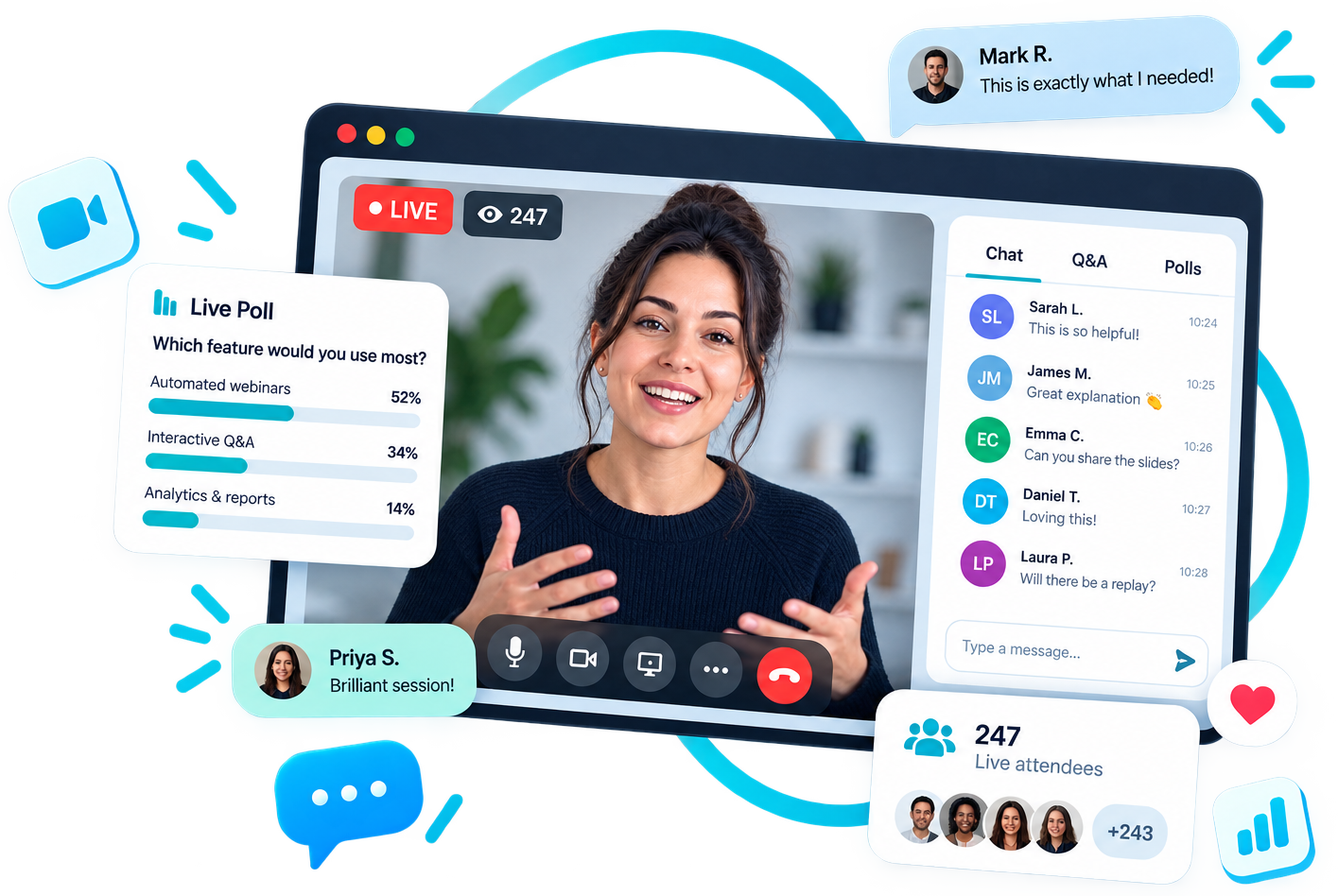
A proper webinar room: your presentation on screen, chat and polls beside it, and a real answer when someone asks.
- Your best presentation runs on a rolling schedule and books people in
- Your phone buzzes the second someone asks a question
- Reply in the chat or go live on camera from your phone
- The session picks up where you left it
- AI learns every answer you give, and takes the repeat ones itself
- 1
- recording doesthe work
- 24/7
- your pitch is openfor business
- 5 mins
- of your time,only if asked
Inside one session
What actually happens when someone joins
The room runs itself until the moment you are needed. That is the whole design.
- 1They book
They pick a time and you are not in the loop
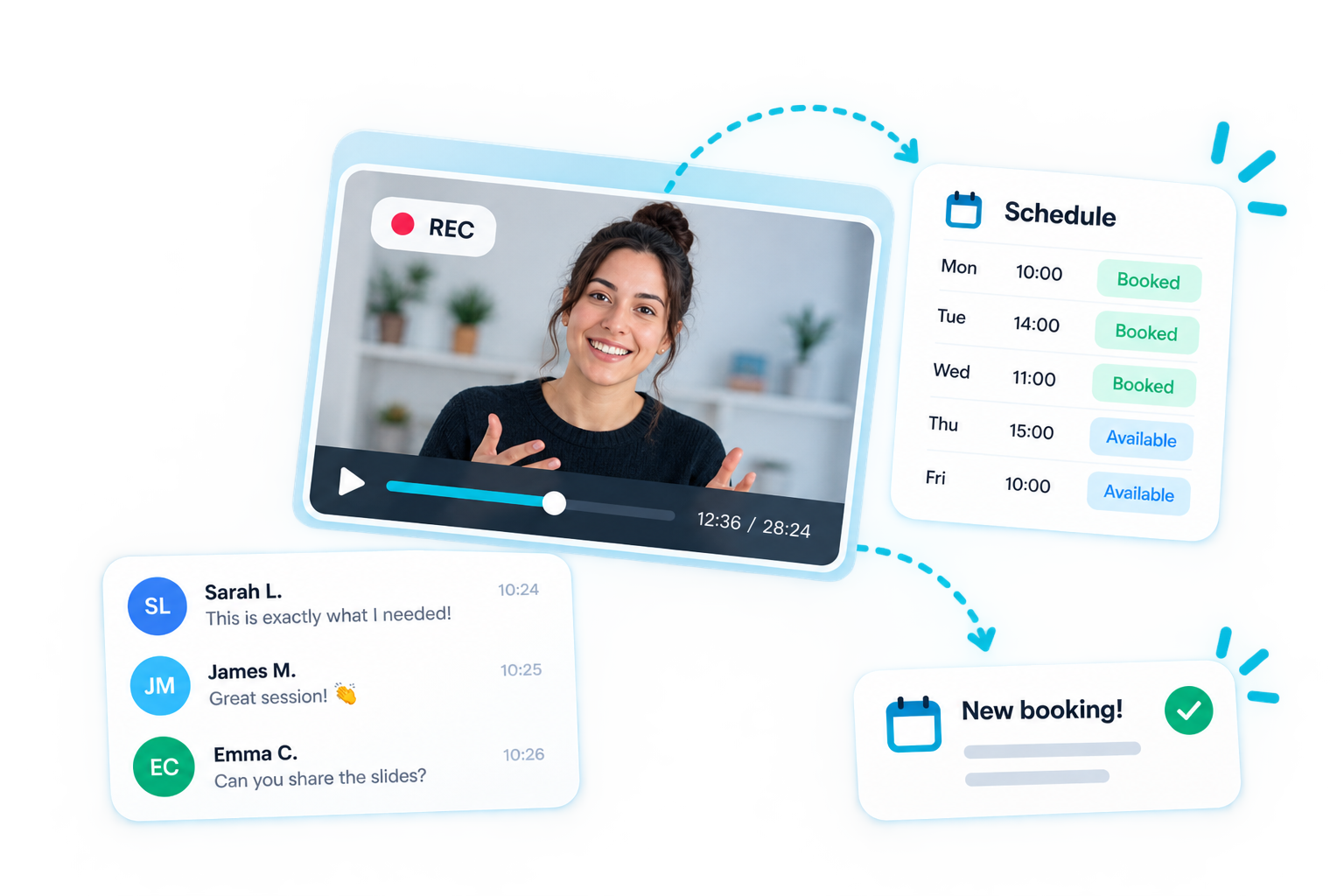
A booking page or an embed on your own site shows every open session, generated from your rules: daily, weekly, just-in-time slots every 15 minutes, and instant replay for anyone who missed one.
- 2It plays
Your best version of the pitch runs
The room locks to the session clock, so nobody scrubs or skips ahead. Scripted chat, polls and your offer card fire at the exact second you placed them, in every session, forever.
- 3You get pinged
Your phone buzzes the moment they raise a hand
Someone books, asks a question or answers a poll and an alert lands on your phone. Tapping it opens that conversation, not a dashboard you have to click through to find.
- 4You step in
You handle it your way, then hand it back
Answer in the chat while the presentation keeps playing, or go live on camera from your laptop or phone. When you are done, the recording picks up exactly where it stopped.
See it in action
Book our own demo, run on WebinarFlow
This is the exact booking form your visitors would see. Pick a time or watch the instant replay, ask a question, and see how the AI and a real person handle it.
What founders say
Your pitch on repeat, in their words
"Being able to put your best product demo on repeat, without having to deliver it yourself every time, is a big win for a SaaS business. WebinarFlow gives you the consistency of a recorded demo with the flexibility to step in when a prospect has a question."
 David HallCEO, AppBuild.DIY
"The real value is being able to scale your sales conversations without adding the same amount of work to your day. WebinarFlow gives prospects a consistent introduction to your product, answers their questions and keeps the sales process moving."
 Yaro SirykCo-Founder, 3way.Social
"WebinarFlow tackles one of the biggest challenges with automated webinars: making them feel interactive rather than just playing a video. Scheduled content, audience engagement and the option to answer questions personally make it a compelling approach."
 Werner GeyserFounder, Influencer Marketing Hub
"WebinarFlow makes lead generation much more manageable. You create a polished presentation once, keep it available to prospects throughout the day and focus your time on the conversations that actually need your attention."
 Becky HallsHead of Marketing, Atelier Social
Honest automation
Automated, not abandoned. A real person is one tap away.
The video runs on its own, but nobody is left talking to a wall. When someone asks something the AI cannot answer, or shows they are ready to buy, your phone buzzes and you can step into that exact room while they are still watching.
Try it free for 14 daysYou get pinged
A push the moment a question goes unanswered or a hot lead appears.
You reply as yourself
Type in the chat under your own name. The presentation keeps playing.
You go live on camera
Take over the room from your phone or laptop, then hand it back to the video.
Nothing pretends to be you
AI answers are trained on your own presentation, and you can always see and correct them.
Why a busy room matters
Nobody wants to be the first person to speak
Scripted chat and a realistic audience count are not there to fake a one-to-one call. They give genuine attendees the social permission to join in, ask what they really want to know and make the room genuinely active.
See the crowd-behaviour research
In Milgram, Bickman and Berkowitz's 1969 street study, the share of passersby who looked up rose from 42% with one person to 86% with a group of 15. The share who stopped rose from 4% to 40%. Visible participation made joining in feel normal.
42% → 86%
looked when the visible crowd grew
4% → 40%
stopped and joined the crowd
Maya
Can this connect to our HubSpot pipeline without a developer?
Question just in
Maya asked a question
Can this connect to our HubSpot pipeline without a developer?
Reply your way
The moment you are needed
A question lands. Your phone gets you straight into the room.
No watching a dashboard and no hunting through menus. WebinarFlow brings the buyer's question, their webinar and the right conversation to your phone in one tap.
Know exactly what they asked
The alert shows the question, who asked it and which webinar they are watching.
One tap opens the exact conversation
You land in that session's Live Q&A, ready to answer. The presentation keeps doing its job while you decide what to do.
Type a reply or go live on camera
Answer quietly in chat or put yourself on camera from your phone. When you are done, the recording carries on from the same place.
4×
The conversation creates the energy
Across 92,412 live-chat messages, interaction between viewers drove up to four times more emotional expression than the video itself. People respond to the room, not just the presenter.
93%
of hesitant questioners
A safer way to ask
In one survey, 41% felt uncomfortable asking questions publicly. Of those people, 93% said anonymity would make it easier. Early activity lowers the fear of asking the first “obvious” question.
AI learns the room
Every answer you give trains the next one
The same questions come back in every session. WebinarFlow keeps what you said, in chat or on camera, and answers them for you.
- Asked
Someone raises a question
In a live session, a replay, or an embed on your own site. Any hour, on any webinar you run.
- You handle it
You answer once, your way
Type it into the chat, or say it out loud on camera from your phone. Both are captured, and anything you say on camera is written up.
- AI files it
The answer joins your knowledge base
Filed alongside your notes, FAQs, website pages, documents and videos, so everything you know about your product sits in one place.
- AI answers alone
Next time, AI replies for you
The same question, or one close enough, gets your answer in your presenter's name within seconds, and you never have to see it.
In the room
Session runningPriya
Do you integrate with HubSpot, or is it a CSV export?
Sam (presenter)
AI · 94% sureBoth. There's a native HubSpot integration that logs the session and the question against the contact, and a CSV export if you'd rather push it in yourself.
Not sure enough, so the AI sent it to your phone
"Can you build the reporting layer for us?" You answered that on camera, the AI wrote up what you said, and now it answers that one on its own.
Set up on your own webinar in a couple of clicks: switch answering on, feed the AI what it should know, and take out anything you'd rather it forgot.
What the AI learns from
You decide how sure the AI has to be
Set the bar. Above it, the AI answers in your name. Below it, the AI says nothing, keeps out of the room, and sends the question to your phone instead, so nothing you have not signed off ever reaches an attendee.
Speed changes the outcome
Nearly 7×
Fast follow-up makes a lead far easier to qualify
Harvard Business Review found that companies responding to an online lead within an hour were nearly seven times more likely to qualify it than those waiting even one hour longer. That is why WebinarFlow takes you from the phone alert straight to the exact question.
The best of both worlds
A recorded webinar is cheap but deaf. A live one is sharp but eats your day. WebinarFlow is the pitch on autopilot with you standing by.
- Sessions running on a rolling schedule, day and night, including just-in-time slots
- Chat, polls and offers fired to the second you chose
- Instant replay for anyone who could not make the time
- Reminders, no-show follow-ups and a booking API that pushes into your CRM
- Registrations, show-up rate and offer clicks tracked, exported, never lost
- A push on your phone the moment someone books, asks or answers
- One tap opens that exact conversation, already loaded
- Reply in line while the presentation keeps running
- Go live on camera from your phone or laptop, then hand it back
Answer in line
Type a reply into the chat and it lands in the room. Nobody waits, the clock keeps moving.
Go live on camera
Switch the room to your camera from a phone or laptop, make your case, hand it back.
Engagement and action
<20% → 69%
Busy rooms are linked to more clicks
Univid's webinar data found call-to-action click rates below 20% in sessions with little reaction activity, compared with 69% in highly active sessions. That is a correlation, not a promise, but it shows why participation matters commercially.
Booking on your own site
One snippet puts your session picker and registration form on any page.
<iframe
  src="https://webinarflow.studio/embed/your-webinar"
  width="100%" height="760"
frameborder="0"></iframe>Your funnel, your stack
Keep the whole journey on your domain
Put booking and watching on your own pages, styled to feel like part of your product. Use a full-page embed, open either from a popup button, or share a direct link when a campaign needs one.
Running a pipeline instead of a landing page? The booking API and webhooks hand each registration to your system the moment it happens, so the demo, the CRM and the follow-up stay in step.
Everything a sales team needs around the pitch
Set it up once, then spend your day on the conversations that need you.
Schedules that fill themselves
Daily, weekly or just-in-time sessions every 15 minutes, with replay switched on whenever you like.
Alerts that reach your pocket
Bookings, questions and poll answers hit your phone. Each one links straight to the conversation.
Take over from anywhere
Put your own camera on the room from a phone or laptop, make your case, then let the recording carry on.
Offers timed to the pitch
Pin your call to action to the exact moment you make the ask. Every session, automatically.
Embed or wire it in
One snippet puts booking on any page, and the API pushes each booking into your stack as it happens.
Numbers you can act on
Sign-ups, show-up rate, offer clicks and the questions people actually ask, in one place.
Set up in an afternoon
Add your best take
Paste a YouTube, Vimeo or MP4 link, or upload the recording. WebinarFlow reads its real length.
Set times and moments
Choose recurring session times, then place chat, polls and your offer on the timeline.
Share, embed or wire in
Send the direct link, drop the widget on your site, or push bookings through the API.
Stop giving the same pitch ten times a day
No more guilt about the leads you never got back to. Your best pitch, every time, and your evenings back.
Record the version that closes, put it on a schedule, and let it book and run. People know they have signed up to a webinar, what they get is your best presentation every single time, and you the moment they want you.
No credit card needed · Set up your first session in minutes

Who is behind WebinarFlow
Ian Naylor, founder
I founded AppInstitute, the DIY app builder behind more than 70,000 apps, and PageTest.AI, which tests headlines and calls to action for marketers. Across all of them, the same thing kept happening: I gave the same demo over and over.
WebinarFlow is the tool I wanted. Record the pitch once, let it run all day, and get a ping on my phone only when someone actually needs me. We run our own demo on it.
WebinarFlow is part of Brellaco, the studio behind AppInstitute and PageTest.AI.