Evergreen Webinars: The Complete Guide to Webinars That Run on Autopilot
By Ian Naylor ·
Drafted with AI assistance, then fact-checked and edited by Ian Naylor before publishing.
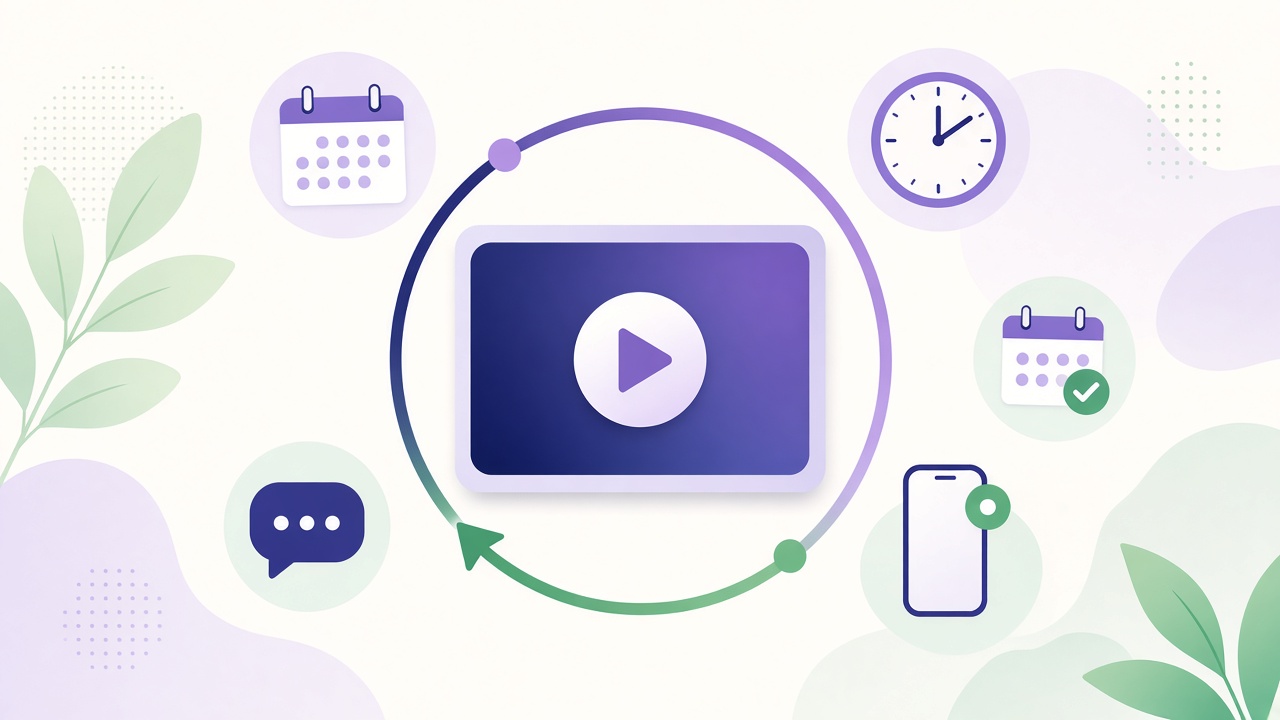
An evergreen webinar is a pre-recorded presentation that runs on a schedule, again and again, so new people can register and watch it without you presenting live each time. You record your best version once, choose when sessions run (for example every hour, daily, or "starting in 15 minutes"), and the platform handles registration, reminders, playback and follow-up. Done well, it gives every prospect your strongest pitch at a time that suits them, while you step in only when someone needs a real person. To make that recording look like a studio production, record your best version with multiple angles using phones you already own.
This guide covers how evergreen webinars work, how they differ from live and on-demand formats, where they fit and where they don't, and how to build one step by step.
What is an evergreen webinar?
"Evergreen" means the content stays relevant for a long time. An evergreen webinar is a recorded session built around a topic that won't date quickly, such as how your product solves a specific problem, and it is replayed on a recurring schedule.
From the viewer's side it usually looks like a scheduled event: they pick a session, register, get reminders and join at the start time. From your side, nothing has to happen live. The recording plays, and the surrounding system does the rest.
You will also see these terms used:
- Automated webinar: a webinar where playback, reminders and follow-up run without a host. Most evergreen webinars are automated.
- Recurring webinar: the same session repeated on a fixed timetable.
- Just-in-time webinar: a session that starts a few minutes after someone registers, so they don't have to wait.
- On-demand webinar: a recording people can play instantly, whenever they like, usually without a scheduled start.
- Pre-recorded webinar: any webinar recorded in advance. Evergreen webinars are one type.
How does an evergreen webinar work?
Most evergreen setups follow the same journey:
- Registration page. A visitor lands on a page that explains what they'll learn and picks a session time.
- Confirmation and reminders. They receive a confirmation, a calendar invite and reminders before the start.
- The session. At the scheduled time the recording plays as if it were starting fresh. Depending on the platform, viewers can chat, ask questions, answer polls or see offers at set moments.
- Questions and hand-off. Questions are answered automatically, collected for later, or routed to a person who can join in.
- Follow-up. Attendees and no-shows get different follow-up, such as a replay link, a booking link or a next step.
The point is that the journey is designed once and then repeats, rather than being rebuilt for every event.
Are evergreen webinars pre-recorded?
Yes. The core presentation is recorded in advance. What changes between platforms is how "live" the experience around the recording feels. Some simply play a video. Others add live chat, scheduled interactions, AI answers drawn from your presentation, and the option for a human to join the session when a viewer asks something that needs them.
Be honest with viewers about the format. Presenting a recording as a live event can damage trust if people notice, and it is not necessary for the format to work. "Your session starts in 10 minutes" is clear; pretending to be live is not.
Evergreen vs live vs on-demand webinars
| Live webinar | Evergreen webinar | On-demand webinar | |
|---|---|---|---|
| Presented in real time | Yes | No (recorded) | No (recorded) |
| Scheduled start | Yes, once | Yes, recurring | No, play any time |
| Host time per session | Full session | Little or none | None |
| Real-time interaction | Full | Chat, automated or human answers, depending on platform | Usually minimal |
| Best for | Launches, Q&A, timely news | Repeatable pitches, demos, onboarding | Reference content, libraries |
If you want the trade-offs in more detail, read our comparison of evergreen vs live webinars.
What's the difference between an evergreen and an automated webinar?
The two overlap. "Evergreen" describes the content: it stays relevant and can be reused. "Automated" describes the delivery: the system runs it without a host. An evergreen webinar is almost always automated, but an automated webinar isn't always evergreen. For example, you might automate a one-off recorded event with content that dates within weeks.
Benefits of evergreen webinars
- Your best version, every time. Live presenters have good and bad days. A recording lets you keep the take where the story, demo and examples all land.
- Available when buyers are. Prospects in other time zones, or with busy diaries, can join a session that suits them instead of waiting for your next live slot.
- Less repetition for your team. If sales staff give the same introductory walkthrough several times a week, an evergreen session can take over that first conversation.
- Easier to improve. Because the journey stays the same, you can change one thing at a time (the title, the registration page, the call to action) and see what difference it makes.
- Consistent message. Everyone hears the same positioning, pricing explanation and next step.
Drawbacks and how to handle them
- It can feel impersonal. Fix this with real interaction: let people ask questions, answer them properly, and make it easy for a human to step in.
- Content goes stale. Product screens, pricing and examples change. Put a review date in your diary and re-record sections when they drift.
- Questions go unanswered. A recording can't respond. Use a platform that answers from your material, or routes questions to someone quickly, and follow up on anything left open.
- Trust risks. Fake "live" claims, fake attendee counts or fake urgency can backfire. Keep the format transparent.
- Not right for everything. Breaking news, launches with a live audience and genuine open Q&A sessions still suit a live webinar.
When evergreen webinars work best
Evergreen works best when the same conversation happens repeatedly. Typical examples:
- Product demos for inbound leads who want to see the product before speaking to sales.
- Sales presentations that explain the problem, your approach and the offer.
- Customer onboarding sessions that cover setup and first steps.
- Training that new users or staff need in the same form each time.
- Lead generation sessions on an educational topic that leads naturally to your product.
For B2B SaaS teams, the most common starting point is the first sales call: the walkthrough your team gives to every new prospect.
How to create an evergreen webinar, step by step
1. Pick one audience and one outcome
Decide who the session is for and what you want them to do afterwards: book a call, start a trial, or move to the next onboarding step. One webinar, one next step.
2. Write a script that doesn't date
Structure it as problem, approach, demonstration, proof and next step. Avoid dates, "this week" references and anything you know will change soon. Our guide on how to write a webinar script walks through this in detail.
3. Record your best take
You can record a new session or reuse a strong live recording. Keep it as short as the topic allows. Clear audio matters more than fancy production.
4. Choose a schedule
Common options are fixed times each day, every hour, or just-in-time sessions shortly after registration. Start with something simple and adjust once you see when people actually register and attend.
5. Build the registration page
Say who it's for, what they'll learn and how long it takes. Keep the form short. Offer session times in the visitor's own time zone.
6. Set up reminders
Send a confirmation with a calendar invite, then reminders before the start. Build the invite in the standard iCalendar format (RFC 5545) so it opens in Google, Outlook and Apple calendars. Our list of ways to lift webinar show-up rate has plenty of ideas here.
7. Plan for questions
Decide what happens when someone asks something mid-session. Options include automatic answers from your content, a chat a person monitors, or an alert that lets someone join the session. Whatever you choose, make sure questions don't disappear.
8. Add a clear call to action
Show the next step at the right moment, for example a booking link after the demo, and repeat it at the end.
9. Follow up
Send attendees a recap and next step, and send no-shows a replay or another session time. See our follow-up tactics after a demo or webinar.
10. Review and improve
Look at registrations, attendance, how long people watch, questions asked and calls booked. Change one thing at a time.
How often should an evergreen webinar run?
There's no single right answer. Run sessions often enough that people rarely wait long, but not so often that every session feels empty if that matters for your format. Just-in-time and hourly schedules suit high inbound volume; a few fixed sessions a day can suit lower volume. Check your own registration data and adjust.
Can an evergreen webinar feel interactive?
Yes, if the platform supports it. Interaction usually comes from chat, polls and offers timed to the recording, answers to questions (automated or from a person), and the ability for a presenter to join when they're needed. The aim is that a viewer who asks a real question gets a real answer, quickly. Speed matters: a Harvard Business Review study of online sales leads found firms that responded within an hour were nearly seven times as likely to qualify the lead as firms that waited longer.
Choosing evergreen webinar software
When comparing platforms, check:
- Scheduling options: recurring, just-in-time and time-zone handling.
- Interaction: chat, polls, timed offers, and how questions get answered.
- Human hand-off: whether a person can be alerted and join the session.
- Booking: whether viewers can book a meeting without leaving the session.
- Branding and domain: whether the journey stays on your own domain.
- Reminders and follow-up: emails, calendar invites, attendee vs no-show paths.
- Analytics: registrations, attendance, watch time and conversions.
- Price: what you get on each plan and whether there's a free trial.
Our buyer's checklist for choosing a webinar platform goes deeper, and our comparison pages set WebinarFlow side by side with other automated webinar tools.
How WebinarFlow approaches evergreen webinars
WebinarFlow is built for B2B SaaS sales teams. You record your pitch once and run it on a rolling schedule. AI answers viewers' questions using what you said in your talk, and when a viewer needs a person, your phone alerts you so you can join the room. Viewers can book a meeting from the session, and the whole journey stays on your domain. Plans and the free trial are on the pricing page.
Frequently asked questions
What is an evergreen webinar?
A pre-recorded webinar that runs on a recurring schedule, so new viewers can register and attend at times that suit them without a presenter being live.
Are evergreen webinars live or pre-recorded?
Pre-recorded. Some platforms add live elements around the recording, such as chat, automated answers or a presenter joining when needed.
What is a just-in-time webinar?
An evergreen session that starts shortly after someone registers, so they don't wait for the next scheduled slot.
How do you make a webinar available on demand?
Record it, host it on a platform that supports on-demand or just-in-time playback, and put a registration or watch link on your site and in your emails.
Do evergreen webinars work for B2B?
They suit B2B well when the same introductory demo or presentation is given repeatedly, because buyers can watch at a convenient time and sales staff can focus on qualified conversations.
How often should I update an evergreen webinar?
Whenever the product, pricing or examples in it change. Set a regular review date so it doesn't drift out of date.
Is it misleading to run a recorded webinar?
Not if you're open about it. Avoid presenting a recording as live, and avoid fake attendee numbers or false urgency.