 VS

WebinarFlow vs Sequel.io
Choose Sequel.io when premium branded events embedded on your website matter more than presenter involvement during a replay. Choose WebinarFlow when the host needs to pause a recording and answer on camera. Sequel's scheduled simulive sessions do not allow live host takeover; WebinarFlow makes that intervention part of the automated demo workflow.
Drafted with AI assistance, then fact-checked and edited by Ian Naylor before publishing.
14-day free trial. Full live-takeover loop and AI included.
The 30-second answer
- Sequel is a premium embedded webinar platform for B2B marketing, with scheduled simulive.
- Sequel.io simulive is set and forget: Sequel.io's help docs say a host cannot join a running simulive, and Sequel.io has no AI answering.
- WebinarFlow lets you pause the recording, go live on camera, and resume, for a fraction of the price.
| WebinarFlow | Sequel.io | |
|---|---|---|
| Book into a recording that feels live | Yes, just-in-time and rolling | Scheduled replay that plays as live |
| Host told about a real question | Phone push | No |
| Go live on camera, then resume | Pause, go live on camera, resume | Not allowed, per its own help pages |
| AI answers attendees | Yes, on every plan | No, repurposing only |
| AI learns from the host's own answers | From your own typed and spoken answers | No |
| Mobile app for hosts | Yes, phone app with push alerts | No host alerts |
| Pricing model | Flat monthly plan per account | Gated on attendees per session |
| AI included on | Every plan, including the trial | Repurposing only |
| Attendee limits | Published on the pricing page | Published |
14-day free trial. Full live-takeover loop and AI included.
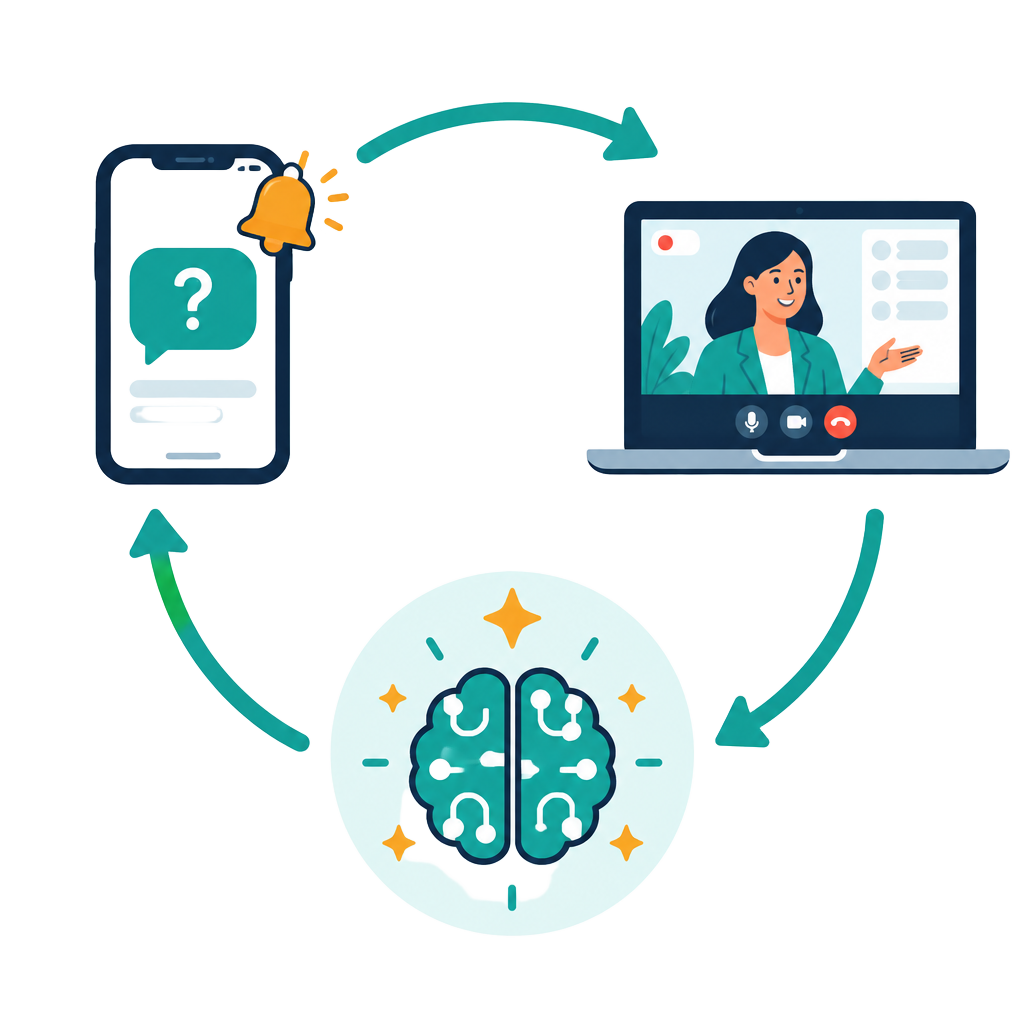
A prospect asks the question that decides the deal. Your phone buzzes, you tap, and you answer on camera. Next session, the AI answers it for you.
Record once and prospects book it like a webinar. Real questions reach your phone, and you type a reply or go live on camera. The AI learns every answer so you only ever answer a question once.
Pricing compared
| WebinarFlow | Sequel.io | |
|---|---|---|
| Entry / month | $49 | $833 yearly / $950 |
| Middle plan | $99 | Volume |
| Top plan | $249 | Custom |
Checked 23 September 2026. Prices in their published currency.
Where Sequel.io is strong
- Premium branded experience
- Enterprise marketing features
Where it stops
- Can't go live during a scheduled replay
- No host alerts
- Expensive entry price
Who should still choose Sequel.io?
Enterprise marketing teams that want premium embedded events on their own site and never need to step in.
How does WebinarFlow work compared with Sequel.io?
WebinarFlow combines scheduled recordings, separate booking links and embeds, attendee questions, host alerts and viewing analytics in one workflow. Here is what each part looks like day to day, so you can compare it with how you run things in Sequel.io today.
Scheduling
In WebinarFlow, you pick your webinar's days and times once. New webinars start with Monday to Friday at 9am, 10am, 2pm and 6pm, plus a just-in-time session that only appears when no scheduled session is coming up soon, and an instant replay option. Visitors always see a time within reach, so nobody leaves because the next slot is days away.
Booking pages and embeds
Every WebinarFlow webinar gets its own booking link and an embeddable form for your website. Bookings from each are tracked separately, so you can see whether people who click a direct link convert better than people who find a form on a page.
The room
The webinar recording in WebinarFlow plays in sync for everyone, as if it were live. Chat, questions, polls and timed offers appear at set moments. A viewer who arrives late joins at the right point rather than at the start.
Real questions and live takeover
WebinarFlow alerts your phone when a viewer asks something new. You can type a reply, or tap to go live on camera. The recording pauses, you answer face to face, and it resumes when you hang up.
AI that learns from you
WebinarFlow's AI can reuse every answer you give, typed or spoken. The next time a viewer asks the same question it answers in your words. Over a few weeks the questions that reach your phone shrink to the ones that genuinely need you.
Hot lead alerts
WebinarFlow sends a separate hot lead alert, once per viewer, when viewers stay to the end or ask buying questions about price, contracts or getting started. That is your cue to step in while they are still in the room.
Emails, texts and webhooks
WebinarFlow reminders and follow ups send from your own email and text accounts, under your own name. Webhooks fire when someone books, turns up, asks a question, misses the session or finishes watching, so your CRM stays current without copy and paste.
Analytics
WebinarFlow's viewing analytics tab shows how far people watched and where they dropped off. WebinarFlow's funnel analytics tab shows the full funnel: visits, returning visitors, which visit people booked on, and conversion split by direct link and embed. Each registration has its own timeline of time in room, viewing time and questions.
How do you move from Sequel.io to WebinarFlow?
To move from Sequel.io to WebinarFlow, start with one recording, check its schedule and reminders, then replace its booking link when you are ready. You can run both tools side by side while existing registrations finish in Sequel.io.
1. Bring your recording
Download your best session from Sequel.io or wherever it lives. You can also paste a YouTube or Google Drive link. WebinarFlow reads the title and captions to get you started.
2. Let the setup guide fill the gaps
WebinarFlow's setup guide suggests a title, description, schedule, polls taken from questions you asked on the recording, and an optional offer timed near the end. Nothing is published until you check it.
3. Connect your own email and texts
Connect your email and text accounts to WebinarFlow so reminders come from you. Your attendees never see a shared sender address.
4. Swap the link
Replace the old booking link in your emails, ads and website with the WebinarFlow link or embed. Old registrations can finish in the old tool.
5. Answer the first questions yourself
During your first week using WebinarFlow, answer the questions that reach your phone. Each answer teaches the AI, so the second week is quieter than the first.
What happens during an automated product demo?
In a WebinarFlow automated product demo, a prospect books a session, receives reminders, watches the recording, asks questions and sees your timed offer before their viewing details reach your follow-up tools. This illustrative 40 minute demo follows that journey from the first click to the follow up.
Monday 8.40am
A prospect clicks your WebinarFlow booking link from an email. The next scheduled session is 9am, so the just-in-time session is hidden and they book 9am.
8.45am
The prospect booked for the 9am demo gets a reminder by email and text from your own account, with their personal join link.
9.12am
The prospect watching the automated demo asks whether the product connects to their CRM. The AI has seen that question before and answers in your words straight away.
9.25am
The prospect watching the automated demo asks about pricing for a team of twelve. That is new, so your phone buzzes. You type a short answer from your desk, and the AI keeps it for next time.
9.38am
Your timed offer appears on screen in the automated demo as planned. They are still watching at the end, so a hot lead alert arrives. You tap, go live on camera for three minutes, and book a call.
9.50am
A WebinarFlow webhook pushes the demo prospect's viewing stats and questions into your CRM. If anything was answered after they left, it arrives bundled in one follow up email rather than several.
What does the WebinarFlow free trial include?
The 14-day trial needs no card and includes up to 3 webinars and 100 attendees, with AI and live takeover included.
- During the trial you can run up to 3 webinars and 100 attendees.
- After the trial you add a card and choose a plan, or the account locks with your webinars and data kept.
- Every plan includes the AI, so there is no per-message meter to watch.
Sequel.io prices and limits change. Check their own website before you decide.
Questions people ask
Can a host join a Sequel simulive?
No. Their help docs describe simulive as set and forget.
How much is Sequel?
From $833 a month on annual billing, or $950 monthly.
Record your demo once. Start your free trial.
Your pitch on repeat. You only when it counts.
14-day free trial. Full live-takeover loop and AI included.
Sources, checked 23 September 2026