How to Build a Webinar Funnel That Turns Attendees Into Customers
By Ian Naylor ·
Drafted with AI assistance, then fact-checked and edited by Ian Naylor before publishing.
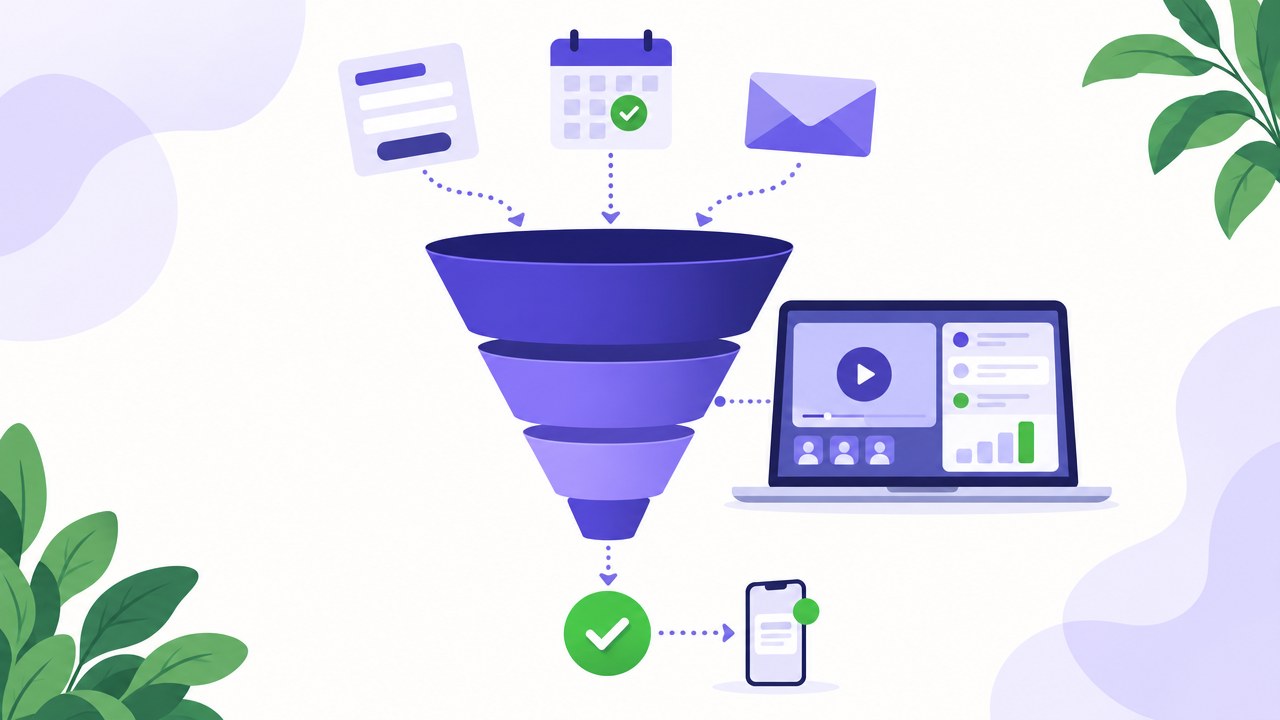
A webinar funnel is the path a prospect takes from first hearing about your webinar to buying: an invitation, a registration page, reminder emails, the webinar itself, one clear next step, and a follow-up sequence. To build one that converts, make each stage do one job, remove every bit of friction between stages, and make sure the moment a viewer is ready to buy, someone (or something) is there to help them. Most webinar funnels leak not because the content is bad, but because the hand-offs between stages are weak.
This guide walks through each stage, gives you a webinar funnel template you can copy, explains how an evergreen webinar funnel differs from a live one, and covers what to measure so you know where the leaks are. If you are still deciding what kind of webinar to run, start with our guide to evergreen webinars or the comparison of evergreen vs live webinars.
What is a webinar funnel?
A webinar funnel (or webinar sales funnel) is a sequence of pages, emails and moments designed to move someone from "never heard of you" to "customer", with a webinar as the centrepiece. The webinar does the heavy lifting: it teaches, demonstrates and builds trust in a way a landing page cannot. Everything around it exists to get the right people into the room and to turn interest into action afterwards.
It is called a funnel because numbers fall at every step. More people see the invitation than register, more register than attend, more attend than stay to the end, and fewer still take the next step. Your job is not to eliminate the narrowing (that is normal) but to stop avoidable drop-off at each stage.
The six stages of a webinar funnel
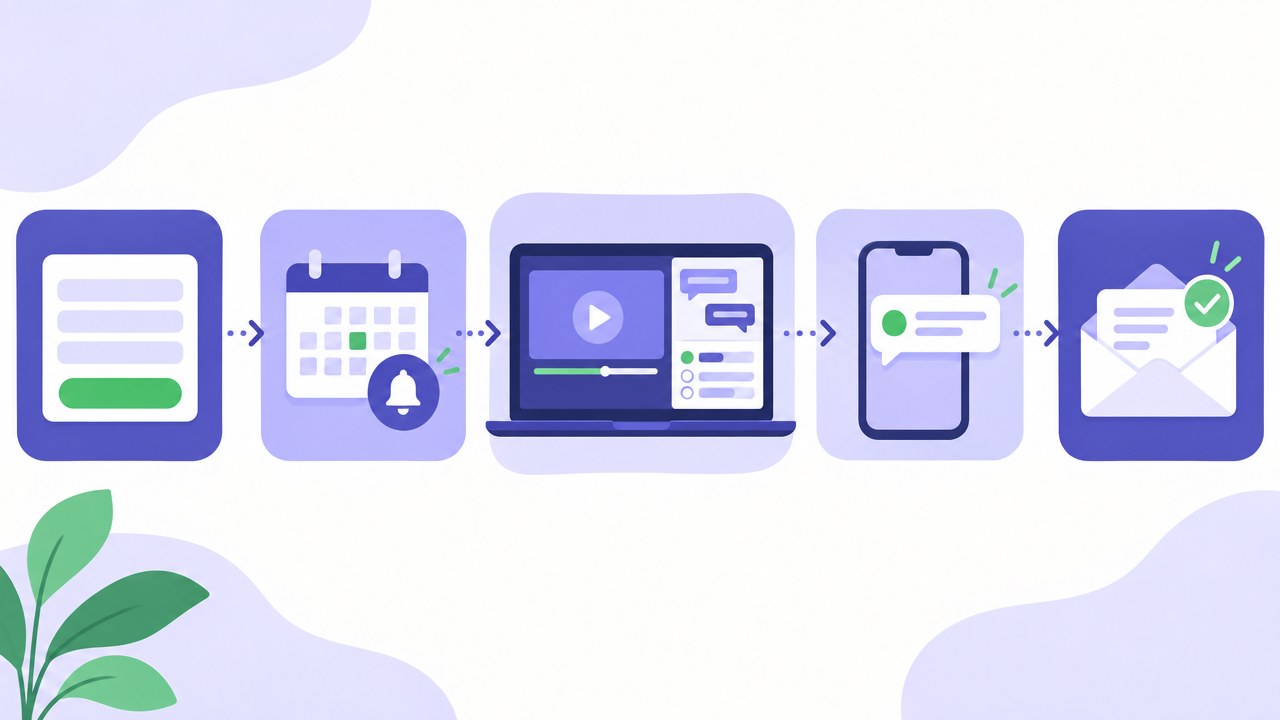
1. Traffic and invitations
People need a reason to click. That reason comes from wherever your audience already is: your email list, your website, social posts, partner newsletters, paid ads, or a link in your sales team's email signature.
What makes this stage work:
- A specific promise. "Join our webinar" is not a promise. "See how a three-person sales team covers demos in every time zone" is.
- The right audience. A smaller list of people with the problem you solve beats a large list of people who are merely curious.
- One link, one destination. Every invitation should point to the registration page, not your homepage.
2. The webinar registration page
The registration page has one job: turn a click into a sign-up. Keep it short and focused.
A good webinar registration page includes:
- A headline that repeats the promise from the invitation, so the visitor knows they are in the right place.
- Three to five bullet points on what they will learn or see.
- Who is presenting and why they are worth listening to.
- Session times that suit the visitor. For evergreen or automated webinars, offering a session that starts soon (or on demand) removes the biggest reason people drop out: having to wait.
- As few form fields as you can get away with. Name and email is often enough; every extra field costs sign-ups, so only ask for what you will genuinely use.
- A single button with a clear label, such as "Save my seat".
Avoid navigation menus and links that lead elsewhere. If you need more persuasion, add a short video preview or a few honest testimonials rather than more text.
3. Confirmation and reminder emails
Between registering and attending, people forget. The confirmation and reminder emails exist to protect the registration you have just earned. Our article on lifting webinar show-up rates goes into this stage in detail; the essentials are below.
- Confirmation (immediately): the time in their time zone, a calendar link, and one sentence reminding them why it is worth turning up.
- Reminder (the day before, if the session is more than a day away): a teaser of one specific thing they will learn.
- Reminder (an hour or so before): the join link, front and centre.
- Reminder (at start time): "We are starting now", with the link.
If the gap between registering and the session is short, as it can be with evergreen webinars, you need fewer reminders, which is one reason short gaps tend to help attendance.
4. The webinar itself
This is where trust is built and decisions are made. A webinar that converts usually follows a simple shape: a hook that confirms the promise, useful teaching, a demonstration or proof that your approach works, a clear offer, and time for questions. If you need help with the structure and wording, our webinar script guide has timings and templates, and these webinar tips cover delivery.
Two things matter more than people expect:
- Questions. A viewer's question is often the last thing standing between them and a decision. If nobody answers it, the decision gets postponed, and postponed decisions rarely come back.
- Buying signals. When someone asks about pricing, contracts, onboarding or a specific use case, they are telling you they are close. A funnel that cannot respond to that moment wastes it.
5. The call to action
Every webinar needs one next step, and it should be obvious. Depending on what you sell, that might be:
- Book a call with sales.
- Start a free trial.
- Buy now, with a reason to act today.
- Watch a deeper product walkthrough.
Pick one. Offering three options at the end of a webinar usually results in none of them being chosen. Show the call to action on screen while you talk about it, and keep it visible in the room until the end.
6. The follow-up sequence
Most attendees will not act during the webinar. The follow-up is where a large share of the funnel's value is either captured or lost. Segment your webinar email sequence by what people actually did:
- Attended and took the next step: confirm, thank them, and tell them exactly what happens next.
- Attended but did not act: send the replay or key moment, answer the questions they asked, and repeat the call to action.
- Registered but did not attend: send the replay or invite them to the next session. With an evergreen webinar, "watch it now" is often the strongest follow-up.
- Asked a question or showed buying intent: this person should hear from a human, quickly.
For a deep list of follow-up ideas and templates, see our follow-up tactics after a demo or webinar.
A webinar funnel template you can copy
Use this as a starting checklist. Adjust timings to your sales cycle.
| Stage | Asset | Its one job | Check |
|---|---|---|---|
| Traffic | Invitation email, social posts, ads, signature link | Get the right people to click | Specific promise; one link to the registration page |
| Registration | Registration page | Turn clicks into sign-ups | Headline matches invitation; short form; session soon or on demand |
| Confirmation | Confirmation email (instant) | Lock in the date | Time in their time zone; calendar link |
| Reminders | Day-before, hour-before, starting-now emails | Get registrants to attend | Join link obvious; one teaser per email |
| Webinar | The session | Build trust and handle questions | Hook, teaching, proof, offer, Q&A; questions answered |
| Call to action | On-screen button or link | Turn interest into a next step | One action; visible until the end |
| Follow-up: attended | 2 to 4 emails | Convert the undecided | Replay moment; answers to their questions; repeat CTA |
| Follow-up: no-show | 2 to 3 emails | Rescue the registration | Replay or next session; "watch now" option |
| Follow-up: buying intent | Personal message or call | Close the deal | A human responds quickly |
A simple webinar email sequence
Here is a lean sequence for one session. Write each email around a single idea.
- Confirmation (instant): "You are in. Here is your link and what you will get from it."
- Reminder (day before): "Tomorrow: the one thing most teams get wrong about [topic]."
- Reminder (one hour before): "We start in an hour. Here is your link."
- Starting now: "We are live (or the session is starting). Join here."
- Follow-up 1 (same day): attendees get the key moment and the next step; no-shows get the replay or the next session.
- Follow-up 2 (two days later): answer the most common question from the session, then repeat the call to action.
- Follow-up 3 (a few days later): a short case or example of the result, and a final, plain invitation to take the next step.
Evergreen webinar funnels: how they differ
An evergreen webinar funnel uses a recorded session that runs on a schedule (or on demand) instead of a live broadcast. The stages are the same; what changes is the timing and who does the work.
- Registration can lead straight to a session. Instead of waiting days for the next live date, people can watch soon after they sign up, which shortens the reminder sequence.
- The funnel runs every day, in every time zone. Your best pitch is available whenever a prospect is ready, without anyone presenting live.
- Consistency. Every viewer sees your best version of the presentation, not the version you gave on a tired Thursday afternoon.
The traditional weakness of evergreen funnels has been stage 4. A recording cannot answer a question, and it cannot notice when someone is ready to buy. Faking interactivity (pretending a recording is live) damages trust when people notice. That is the gap a modern evergreen funnel needs to close honestly.
Where Webinar Flow fits in the funnel
Webinar Flow is built for the middle of the funnel, where most automated webinars lose people. Your pitch or demo runs on demand on a schedule, so nobody needs to present live. While prospects watch:
- AI answers viewer questions in real time, drawing on your own material (the session itself, your website and documents) and the answers you have given to previous questions. Questions stop being dead ends.
- When a question cannot be answered, or shows buying intent, you get a push notification on your phone. You can jump into the room straight away by full video takeover or by chat, wherever you are.
- You only step in when it matters. The funnel keeps running while you do something else, and the warmest moments reach you while the prospect is still in the room.
That changes the follow-up stage too: you know which questions each viewer asked and which ones signalled intent, so your follow-ups can be specific rather than generic. You can see how the plans work on the pricing page, compare it with other tools on the comparison page, or read how other teams use it.
What to measure in a webinar funnel
You cannot fix leaks you cannot see. Track the conversion between each pair of stages rather than one end-to-end number:
- Invitation to registration: is the promise strong enough, and is the audience right?
- Registration to attendance: are your reminders and session times working?
- Attendance to watching to the end (or to the offer): is the content holding attention?
- Questions asked and answered: are viewers engaged, and is anyone left without an answer?
- Attendance to call to action: is the offer clear and the next step easy?
- Follow-up to conversion: are your segmented emails doing their job?
Compare your own numbers over time rather than chasing someone else's benchmarks. If you want outside reference points, our webinar statistics roundup collects published figures with their sources. Fix the stage with the biggest drop first; a small improvement early in the funnel compounds through every stage after it.
Common webinar funnel mistakes
- A vague promise. If the invitation does not say what people will get, the right people will not register.
- Long gaps between registering and the session. The longer the wait, the more people forget or lose interest.
- Unanswered questions. A question left hanging is often a sale left hanging.
- Too many calls to action. One clear next step beats three competing ones.
- The same follow-up for everyone. Attendees, no-shows and hot leads need different messages.
- Slow responses to buying intent. Someone who asks about pricing during the session is ready now, not next week.
FAQ
What is a webinar funnel?
A webinar funnel is the sequence that takes a prospect from invitation to purchase with a webinar at its centre: traffic, a registration page, confirmation and reminder emails, the webinar, a call to action, and a segmented follow-up sequence.
What is the difference between a webinar funnel and a webinar sales funnel?
In practice they mean the same thing. "Webinar sales funnel" simply emphasises that the end goal is a sale (or a sales conversation) rather than just attendance.
What is an evergreen webinar funnel?
An evergreen webinar funnel uses a recorded webinar that runs on a schedule or on demand, so new prospects can register and watch at any time. It works the same way as a live funnel, but it runs continuously without anyone presenting live.
How many emails should a webinar email sequence have?
There is no fixed number. A practical starting point is a confirmation, two or three reminders, and two to four follow-ups segmented by whether people attended, missed it, or showed buying intent. Shorter gaps between registration and the session need fewer reminders.
What should a webinar registration page include?
A headline that matches the invitation, a few bullets on what people will learn, who is presenting, session times that suit the visitor, a short form, and one clear button. Leave out navigation and anything that pulls people away.
Can an automated webinar funnel still feel personal?
Yes, if it is honest about being on demand and still responds to people. With Webinar Flow, AI answers questions from your own material during the session, and you get a push notification to join by video or chat when a viewer needs you or shows buying intent.
How do I know which part of my webinar funnel to fix first?
Measure the conversion rate between each stage and fix the one with the biggest drop. Improvements early in the funnel carry through every later stage.