
Live vs Automated Product Demos: Pros and Cons
By Ian Naylor ·
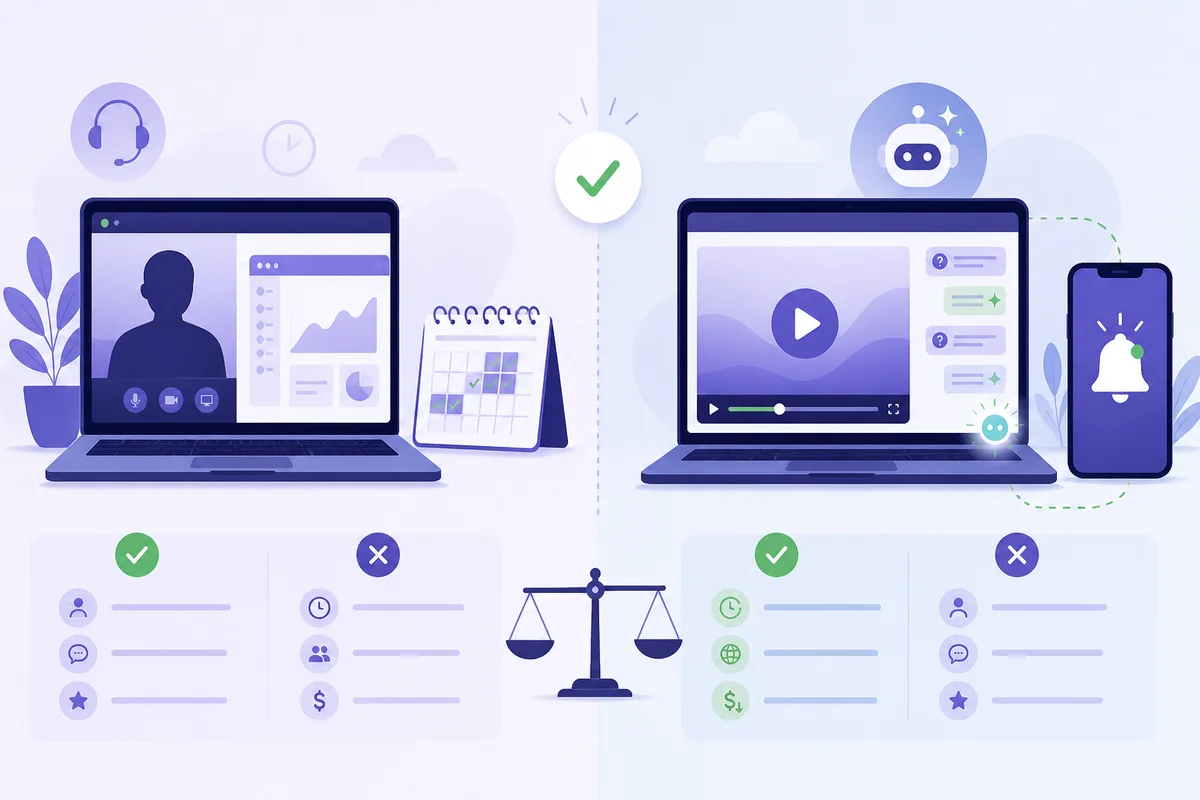
A live product demo is best when the deal is large, the buyer's setup is unusual or several stakeholders need to steer the conversation. An automated product demo is best when lots of people need the same first look, quickly, at a time that suits them. Live demos win on tailoring, rapport and handling hard questions. Automated demos win on speed to demo, consistency, reach and your team's time. For most B2B and SaaS teams the right answer is not one or the other: run an automated demo as the default first look, and keep live conversations for the buyers who show they are ready for one.
This guide sets out the honest pros and cons of each format, a simple way to decide which deals get which, and how a hybrid demo closes the gap between them. If you already know you want to automate and need the setup steps, go straight to our guide on how to automate product demo webinars.
What counts as a live demo and an automated demo?
The terms get used loosely, so it helps to be precise.
- Live product demo: a salesperson, founder or solutions engineer shows the product in real time, usually on a video call. It might be one-to-one or a scheduled group session. Everything happens in the moment, including the questions.
- Automated product demo: a recorded demo that buyers can watch without anyone from your team having to present it. It can be a demo video on a page, an on-demand session the viewer starts when they like, or a scheduled automated session that runs at set times with chat, polls and offers.
There are also two neighbours worth separating out:
- Interactive click-through demos let buyers click around a guided copy of your product. They are good for self-serve exploration but they are not a presented demo. We cover the difference on our interactive demo tools comparison.
- AI avatar demos use a synthetic presenter. Some teams like them; others find they undermine trust. See Webinar Flow vs AI avatar tools for how they differ from a recording of a real person.
This article compares the two main formats: a real person presenting live, and a recording of a real person presenting on demand.
Live product demos: pros and cons
Pros of live demos
- Tailored to the buyer. You can skip what they do not care about and go deep on the one workflow that matters to them.
- Real-time objection handling. When a buyer pushes back, you can answer, show and check they are satisfied. Our list of sales objections and how to answer each one live shows how much of selling happens in that exchange.
- Rapport and trust. Buyers get to judge the people they would be working with, not just the software.
- Discovery as you go. A good live demo doubles as a discovery call. You learn about budget, timing, decision makers and competing options.
- Handles complexity. Integrations, security reviews, procurement questions and multi-team rollouts are hard to cover in a recording.
- Easy to adjust. If you spot something that is not landing, you change it in the next call.
Cons of live demos
- Slow to schedule. Buyers have to book, wait and then turn up. Interest can cool in the gap between "I'd like to see it" and the call itself.
- Calendar-bound. Live demos only happen when someone on your team is free. Buyers in other time zones, or who prefer to research in the evening, are poorly served.
- No-shows waste time. Every missed slot is time a presenter blocked and could not use.
- Inconsistent quality. The demo depends on who gives it and how their day is going. Your best presenter's version is not what every buyer sees.
- Expensive to scale. More demos means more presenter hours. The same twenty-minute walk-through, repeated many times a week, is costly for a founder or a small sales team.
- Buyers have to talk to sales first. Many buyers want to see the product before speaking to anyone. A live-only process forces a conversation they may not be ready for.
Automated product demos: pros and cons
Pros of automated demos
- Speed to demo. A buyer can watch straight away or at the next session time, instead of waiting days for a call.
- Your best version every time. You record the demo once, at its best, and every viewer gets that version. The 50 SaaS demo rules are much easier to follow in a recording you can redo than in a live call.
- Works around the buyer's schedule. Sessions can run at times that suit different time zones, or start on demand.
- Frees your team. Presenters stop repeating the same walk-through and spend their time on buyers who are further along. That is the core idea behind the async selling playbook.
- Low-pressure for buyers. People can see the product without committing to a sales call, which suits early-stage researchers.
- Measurable. You can see who registered, who attended, how long they watched and where they dropped off, then follow up accordingly.
Cons of automated demos
- Generic by default. One recording has to work for everyone, so it cannot speak to each buyer's exact situation.
- Questions can go unanswered. This is the big one. A plain demo video has no way to answer "does it work with our CRM?" at the moment the buyer is wondering. If they have to email and wait, many will not bother.
- It can feel impersonal. Without interaction, an automated demo is just a video. Buyers notice.
- Trust problems if it pretends to be live. Recordings dressed up as live events tend to backfire when viewers spot them. Be clear that the session is recorded. We look at this "fake live" problem in evergreen vs live webinars.
- Needs upkeep. When the product changes, the recording has to change too, or buyers see an out-of-date interface.
- Hot leads can slip through. A buyer who is ready to talk may finish the video and leave if nobody spots the signal.
Live vs automated product demos at a glance
| Live demo | Automated demo | |
|---|---|---|
| Speed to demo | Hours to days, depending on calendars | Immediate or next session |
| Tailoring | High | Low, unless questions are answered in the session |
| Consistency | Varies by presenter | Same best version every time |
| Handling questions | Strong | Weak, unless someone or something answers in real time |
| Presenter time per buyer | High | Low after recording |
| Works across time zones | Only with staff cover | Yes |
| Best for | Complex, high-value, multi-stakeholder deals | High-volume first looks, smaller deals, early research |
| Main risk | Slow and costly to scale | Unanswered questions and missed buying signals |
When to use a live demo
Choose a live demo when:
- The deal is large enough that a presenter's time is clearly worth it.
- The buyer's requirements are unusual, technical or tied to integrations you need to discuss.
- Several stakeholders need to attend and ask different questions.
- The buyer has already seen the standard demo and wants to go deeper.
- You are still working out your pitch. Live demos are where you learn which features land and which questions come up again and again.
When to use an automated demo
Choose an automated demo when:
- You give much the same demo many times a week.
- Buyers want to see the product before talking to sales.
- Speed matters and calendar delays are costing you interest.
- Your buyers are spread across time zones.
- You are a founder or small team and the demo is eating time you need for building or closing.
- You want a consistent first look that qualifies buyers before a live call. Our guide to how SaaS companies use webinars to generate pipeline covers where this fits in the funnel.
The hybrid: automated by default, human on demand
The trade-off above assumes an automated demo has nobody behind it. That is the part worth changing. The biggest cons of automation (unanswered questions, impersonal feel and missed buying signals) all come from the same gap: no one is there when the buyer needs them.
A hybrid demo keeps the recording as the default and puts a real person one tap away. In practice that means:
- Questions get answered during the session. An AI assistant answers viewers' questions in real time, using your pitch, your materials and the answers you have given before.
- You are alerted when it matters. When a viewer asks something the AI cannot answer, or shows buyer intent, you get a push notification on your phone.
- You can jump in. From that notification you reply in chat, or take over the session on video and talk to the buyer face to face, then hand back to the recording.
- Every answer improves the next one. Questions you answer once can be answered automatically next time.
That is how Webinar Flow works. Your best take runs on repeat, the AI handles the common questions, and your phone tells you when a buyer needs you, so you are effectively present in every pitch without sitting through every session. If an AI presenter is not what you want, it helps that the demo is a recording of you, not an avatar.
A hybrid does not remove the need for live calls on complex deals. It changes when they happen: buyers arrive at the live conversation having already seen the product, with their basic questions answered, which makes the call shorter and more useful. You can still pass them straight to a booking link; see how scheduling tools fit in on Webinar Flow vs Calendly and Chili Piper.
How to move from live-only to a hybrid demo
- Pick the demo you repeat most. Usually the first-look demo for new inbound leads.
- List the questions that come up in every call. These become the material your AI assistant learns from and the points your recording should cover.
- Record your best version. If you already have a strong live session recorded, you can start from that; see how to create an evergreen webinar from a live recording.
- Set sessions at the times your buyers want them, including on-demand if that suits your audience.
- Decide what triggers a human. For example, pricing questions, integration questions, or anyone who asks to talk to sales.
- Follow up based on behaviour. Someone who watched to the end and asked about pricing needs a different message from someone who left after five minutes. Our follow-up tactics after a demo or webinar give plenty of options.
- Keep live calls for the buyers who need them, and review which questions keep reaching you so you can improve the recording.
Common mistakes
- Automating a demo you have not proven live. Record the version you know works, not a first draft.
- Pretending a recording is live. Be upfront. Buyers accept recorded demos; they do not accept being misled.
- Leaving questions with nowhere to go. A demo with no way to ask, or no one answering, turns curious buyers into lost ones.
- Forcing every buyer through the same path. Let ready buyers skip to a live conversation.
- Letting the recording go stale. Re-record when the interface or pricing changes.
Frequently asked questions
Are automated demos as effective as live demos?
They do different jobs. Live demos are stronger for complex, high-value deals where tailoring and discussion matter. Automated demos are stronger for fast, consistent first looks at scale. An automated demo that answers questions and alerts a human on buying signals closes much of the gap.
What are the main disadvantages of automated product demos?
Unanswered questions, a generic feel, missed buying signals and the upkeep of keeping the recording current. The first three can be addressed by answering questions in real time and letting a person step in when needed.
What are the main disadvantages of live product demos?
They are slow to schedule, limited by your team's calendar, affected by no-shows, inconsistent from presenter to presenter and expensive to scale.
Should I tell buyers an automated demo is recorded?
Yes. Being clear that the presentation is recorded, while showing that real people and real answers are available, builds more trust than pretending it is live.
Can a small team or solo founder run both?
Yes, and they often benefit most. An automated demo takes the repeated walk-through off your plate, and push notifications mean you only step in when a buyer needs you.
How is an automated demo different from an interactive click-through demo?
An automated demo is a presented walk-through, usually a recording of a real person explaining the product. An interactive demo lets buyers click through a guided copy of the product themselves. Many teams use both at different stages.
Do I still need live demos if I automate?
For complex or high-value deals, usually yes. Automation handles the first look and qualification; live conversations handle the detail and the close.
The bottom line
Live demos give you tailoring and trust; automated demos give you speed, consistency and time back. The weak spot of automation is the moment a buyer has a question and nobody is there. Fix that, with real-time answers and a person who can jump in by chat or video, and an automated demo becomes the sensible default, with live calls kept for the buyers who are ready for them. If you want to see how that works, book a Webinar Flow demo, run on Webinar Flow, or read how teams like 3way.Social use it.
Drafted with AI assistance, then fact-checked and edited by Ian Naylor before publishing.