
How to Generate Leads With Webinars
By Ian Naylor ·
Drafted with AI assistance, then fact-checked and edited by Ian Naylor before publishing.
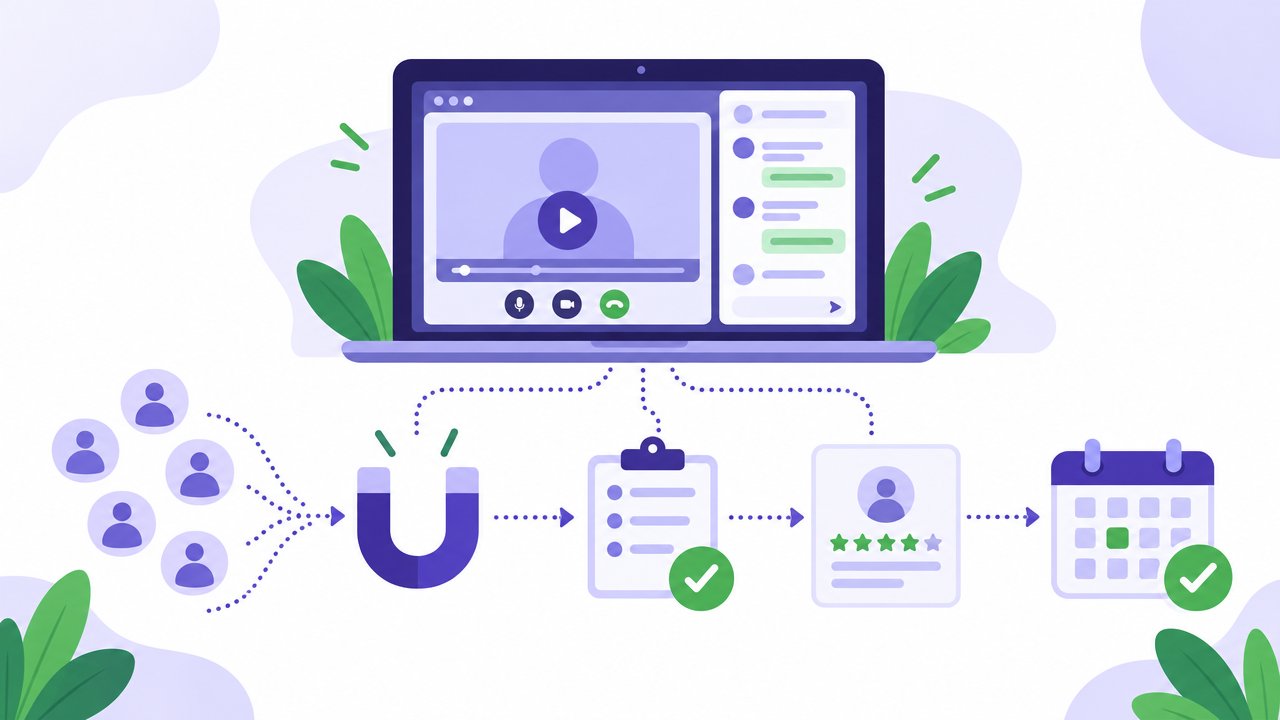
Webinars generate leads by trading something useful, a session that solves a real problem, for a registration, and then using what people do during the session to show who is ready to buy. To get more and better leads from webinars, pick a topic your buyers are actively trying to solve, make registration quick, ask a qualifying question or two, watch for signals during the session (questions, poll answers, offer clicks, watch time), and follow up within hours based on what each person did. An evergreen webinar that runs on a schedule keeps this working every day, not just on the date of one live event.
Most teams treat a webinar as a one-off event and count registrations. The leads that matter, though, come from what happens around the session: who registers, what they ask, how long they stay and how fast you respond. This guide covers each step in order, before, during and after the webinar, with practical ways to capture leads and qualify them so your sales time goes to the right people.
If you want the full journey of a single session, from first invitation to closed deal, our guide on how to build a webinar funnel goes deeper on each stage. For the bigger picture of where webinars fit in your marketing, see the complete webinar marketing strategy for B2B businesses.
How do webinars generate leads?
A webinar produces three kinds of lead, and it helps to treat them differently:
- Registrants. People who signed up. They have told you their name, email and that the topic matters to them. That is a lead, but a cool one.
- Attendees. People who actually turned up and watched. They have given you their time, which is a stronger signal than a form fill.
- Engaged attendees. People who asked a question, answered a poll in a way that shows intent, clicked the offer or stayed to the end. These are your warmest leads and often your next sales conversations.
The point of webinar lead generation is not just to fill the top of that list. It is to move as many of the right people as possible from registrant to engaged attendee, and to spot the engaged ones quickly enough to talk to them while they are still interested.
Webinars are good at this for a few reasons:
- They are a low-pressure first step. Many buyers would rather watch a session than book a sales call early in their research.
- They show rather than tell. A walkthrough answers questions a landing page cannot, especially for software.
- They reveal intent. A question asked in the chat or a poll answer tells you far more than a page view.
- They keep working. A recorded or evergreen session can collect leads long after the first showing.
Before the webinar: attract the right registrants
Choose a topic that pulls in buyers, not just viewers
The topic decides who registers. A broad, entertaining topic can bring a big list of people who will never buy. A specific topic tied to the problem your product solves brings fewer, better leads.
Good sources of lead-generating topics:
- Questions your sales team answers every week. If prospects keep asking it, it will attract more prospects.
- The problem just before your product. For example, a session on fixing a broken onboarding process attracts people who may need onboarding software.
- Objections that stall deals. A session that tackles cost, switching effort or risk head on draws people who are close to a decision. Our list of sales objections and how to answer them is a useful prompt.
- A "how it works" demo. For warmer audiences, a straightforward product walkthrough is often the highest-intent topic of all.
A simple test: would someone who registers for this be a plausible customer? If not, the topic may grow your list but not your pipeline.
Build a registration page that converts
The registration page has one job: get the right person to sign up without friction. Keep it focused:
- A specific, benefit-led headline that says what the attendee will be able to do afterwards.
- Three or four bullet points on what they will learn.
- Who it is for, so the wrong people self-select out.
- Session times that suit the visitor. If you run evergreen sessions, offering a slot soon after someone registers, or an instant replay, removes the wait that loses people.
- A short form. Name and work email are often enough to start.
Capture leads with the form, without killing sign-ups
Every extra field costs some registrations, so only ask for what you will actually use. A practical approach:
- Required: name and work email.
- Optional, one question: a qualifying question you will act on, such as company size, role, or "What is your biggest challenge with this right now?"
- Learn the rest from behaviour. What someone does in the session tells you more than a dropdown on the form.
If your CRM can enrich a work email with company details, you can keep the form even shorter and still route leads properly.
Promote where your buyers already are
Leads come from the channels your buyers already use. Put the next session, or the always-on version, on your website's highest-intent pages: the homepage, pricing page, product pages and related blog posts. An embedded booking widget lets visitors register without leaving the page. Then add sales email invitations, email signatures, segmented emails to your list, speaker posts on LinkedIn and partner newsletters.
Get registrants to turn up
A registrant who never attends is a much weaker lead. Reminder emails (and text messages if your audience is happy to get them), a calendar invite and a clear reason to show up all help. Our list of 60 ways to lift your webinar show-up rate covers this in detail.
During the webinar: capture and qualify leads
This is where webinars beat most other lead sources. While someone is watching, they are giving you signals about how interested they are and what they need.
Use polls as qualifying questions
A well-placed poll is a qualifying question that people are happy to answer. Examples:
- "Where are you with this today?" (just researching / comparing options / ready to switch)
- "How many people on your team would use this?"
- "What is the main thing you want to fix?"
Place polls at natural moments in the talk, not all at the start. The answers tell you who is researching and who is ready to act.
Make it easy to ask questions
Questions are some of the clearest buying signals you will get. Someone asking "Does this connect to our CRM?" or "Is there a plan for a team of ten?" is telling you they are seriously considering it. Encourage questions early, make the chat obvious, and avoid making people wait until the end.
Answer quickly, while they are still watching
A buying question answered in the moment keeps the conversation going. The same question answered by email the next day may land after the prospect has moved on. In an evergreen session there may be no host watching, so you need a way to answer fast:
- An AI assistant trained on your own material can answer common questions straight away, as long as it only answers from your content and passes anything else to a person.
- A notification to a real person for questions the AI cannot answer, or for clear buying signals, so someone can reply in the chat while the prospect is still in the room.
Make one clear offer
An attendee who is interested needs an obvious next step. Pick one: book a call, start a trial, get an assessment. Show it once you have delivered real value, and repeat it near the end. A single offer is easier to act on than several competing ones, and every click on it is a strong lead signal.
Track watch time and drop-off
How long someone stays is a quiet but useful signal. A person who watched to the end of a 30-minute demo is in a different place from someone who left after three minutes. Drop-off points also show you where the content loses people, so you can fix it.
How to qualify webinar leads
Once the session is over, you will have a mix of people. Qualifying them means deciding who gets a personal follow-up from sales, who goes into a nurture sequence, and who simply gets the replay.
A simple way to do this is to score what people did, not just who they are:
| Signal | What it suggests | Suggested next step |
|---|---|---|
| Registered, did not attend | Interested in the topic, not yet engaged | Send the replay or the next session time |
| Attended, left early | Mild interest, or the content did not fit | Short summary and a related resource |
| Watched most or all of the session | Real interest in the topic | Summary, the offer again and a soft invitation to talk |
| Answered a poll with high intent ("ready to switch") | Actively looking | Personal email from sales, referring to their answer |
| Asked a buying question (pricing, integration, team size) | Considering a purchase | Personal reply the same day, ideally within hours |
| Clicked the offer or booked a call | Ready for a conversation | Confirm quickly and brief sales on what they watched and asked |
Combine this with fit: does the person match the kind of company and role you sell to? A highly engaged attendee who is a poor fit still deserves a helpful reply, but probably not an hour of a salesperson's time. A good-fit company with a strong signal goes straight to the front of the queue.
Write your criteria down and agree them with sales, so everyone knows what makes a webinar lead "sales-ready" and leads do not sit in a spreadsheet waiting for someone to decide.
After the webinar: follow up and convert
Follow-up is where most of the value of webinar lead generation is won or lost.
- Follow up within hours, not days. Interest fades quickly. Send the first follow-up the same day.
- Split follow-up by behaviour. Use the table above. A no-show and someone who asked about pricing should not get the same email.
- Make it personal for hot leads. Refer to the question they asked or the poll answer they gave. A real reply from a real person stands out.
- Send the replay and one resource. Keep it short and easy to scan, with the offer repeated once.
- Pass the data to sales. Who attended, how long they watched, what they asked and what they clicked should reach your CRM or sales team, so follow-up can be specific.
- Nurture the rest. People who are not ready now can get a short sequence of useful content and an invitation to the next session.
For templates and ideas, see our guide to follow-up tactics after a demo or webinar.
Why evergreen webinars generate leads every day
A live webinar generates leads on one date. Anyone who finds you the week after has to wait for the next one, or settle for a replay with no one to talk to. An evergreen (automated) webinar plays your best recorded session on a schedule, such as several times a day or just in time for whoever registers, so the front door is always open.
For lead generation, that changes a few things:
- Leads arrive when buyers are ready, not when your calendar allows.
- Every session is your best version. Polls, chat prompts and the offer appear at the same moments every time, so every attendee gets the same chance to show intent.
- Your time goes to the people who need it. With AI handling routine questions and a notification for buying signals, you only step in when someone is worth talking to.
- Promotion keeps paying back. A link on your pricing page or in a sales email always leads to a session someone can join soon.
The complete guide to evergreen webinars explains how they work, and evergreen vs live webinars covers when each format makes sense. If you are weighing up AI in webinars, AI webinar software: what it can automate and what it cannot is a practical overview.
Common webinar lead generation mistakes
- Counting registrations as the result. A big list of the wrong people is not pipeline.
- Long registration forms. Ask for less up front and learn more from behaviour.
- No qualifying moment in the session. Without a poll or a question, every attendee looks the same.
- Slow answers to questions. A buying question left unanswered is a lost conversation.
- The same follow-up for everyone. Behaviour-based follow-up is more relevant and more likely to get a reply.
- Sales never sees the data. If nobody knows who asked what, the warmest leads go cold.
- Letting a good session disappear. If a webinar generated leads once, make it available on demand so it keeps doing so.
A simple webinar lead generation checklist
Before
- Topic tied to the problem your product solves
- Registration page with a specific headline and a short form
- One optional qualifying question
- Booking link on high-intent pages and in sales emails
- Reminders by email (and text, if appropriate)
During
- Two or three polls that reveal stage and need
- Questions encouraged from the start
- Fast answers, from AI for routine questions and a person for buying signals
- One clear offer, shown after delivering value
After
- Same-day follow-up, split by behaviour
- Personal replies to anyone who asked a buying question
- Attendance, watch time, questions and clicks passed to sales
- Nurture sequence and next-session invite for everyone else
Where Webinar Flow fits
Webinar Flow is an automated webinar platform built for SaaS sales teams. It is designed to turn your best presentation into a lead source that runs every day, with a real person one tap away.
- Visitors book themselves in from a booking page or an embed on your own site, with daily, weekly or just-in-time sessions and an instant replay.
- Every session runs the same way. Scripted chat, polls and your offer card appear at the moments you set.
- You hear about hot leads straight away. When someone books, asks a question or answers a poll, your phone gets a notification that opens that conversation. You can reply in the chat, or go live on camera and then hand back to the recording, which picks up where it stopped.
- AI answers questions from your own material on the Growth plan and above, learns from the answers you give, and keeps an unanswered-questions inbox with AI-drafted follow-ups for anything it missed.
- Attendance and drop-off analytics show who stayed and where people left.
Plans start at $49 a month, and every plan begins with 14 days of the full Growth experience, free, with no card needed. See pricing, compare Webinar Flow with other platforms, or book a session of our own demo to see how it handles questions.
Frequently asked questions
Are webinars good for lead generation?
They can be, especially in B2B, because they give buyers a low-pressure way to learn and see a product, and they produce clear signals of interest such as questions, poll answers and offer clicks. Results depend on choosing a topic your buyers care about, reaching the right people and following up quickly.
How do webinars generate leads?
People register with their details in exchange for a useful session. That registration is the first lead. What they then do, whether they attend, how long they watch, what they ask and whether they click the offer, shows which of those leads are ready for a sales conversation.
How do you capture leads during a webinar?
Use polls that double as qualifying questions, encourage questions in the chat, make one clear offer such as booking a call or starting a trial, and track watch time. Each of these tells you something about intent, and each answer or click can be passed to sales.
How do you qualify webinar leads?
Score leads on what they did as well as who they are. Someone who asked a buying question or clicked the offer, and who fits your target customer, should get a personal follow-up the same day. Registrants who did not attend, or attendees who left early, are better suited to the replay and a nurture sequence.
What should you ask on a webinar registration form?
Keep it short: name and work email, plus at most one optional qualifying question you will act on, such as role, company size or main challenge. You can learn much more from what people do during the session.
How quickly should you follow up webinar leads?
The same day, and within hours for anyone who showed strong intent. Interest fades quickly after a session, and a fast, personal reply to a question someone asked is far more likely to start a conversation than a generic email days later.
Do automated webinars generate leads as well as live ones?
They can, and they have the advantage of generating leads every day rather than on a single date. Automated webinars work best when they still feel interactive: polls and chat at set moments, fast answers to questions and a way for a real person to step in when someone is ready to talk.
The bottom line
Webinar lead generation works when you treat the session as the middle of a process, not the whole of it. Pick a topic that attracts buyers, keep registration easy, build qualifying moments into the session, answer questions while people are still watching and follow up the same day based on what each person did. Turn your best session into an evergreen webinar and it keeps doing that work every day. If you want to see it in practice, you can try Webinar Flow free for 14 days.