
How to Turn a Blog Post Into a Webinar
By Ian Naylor ·
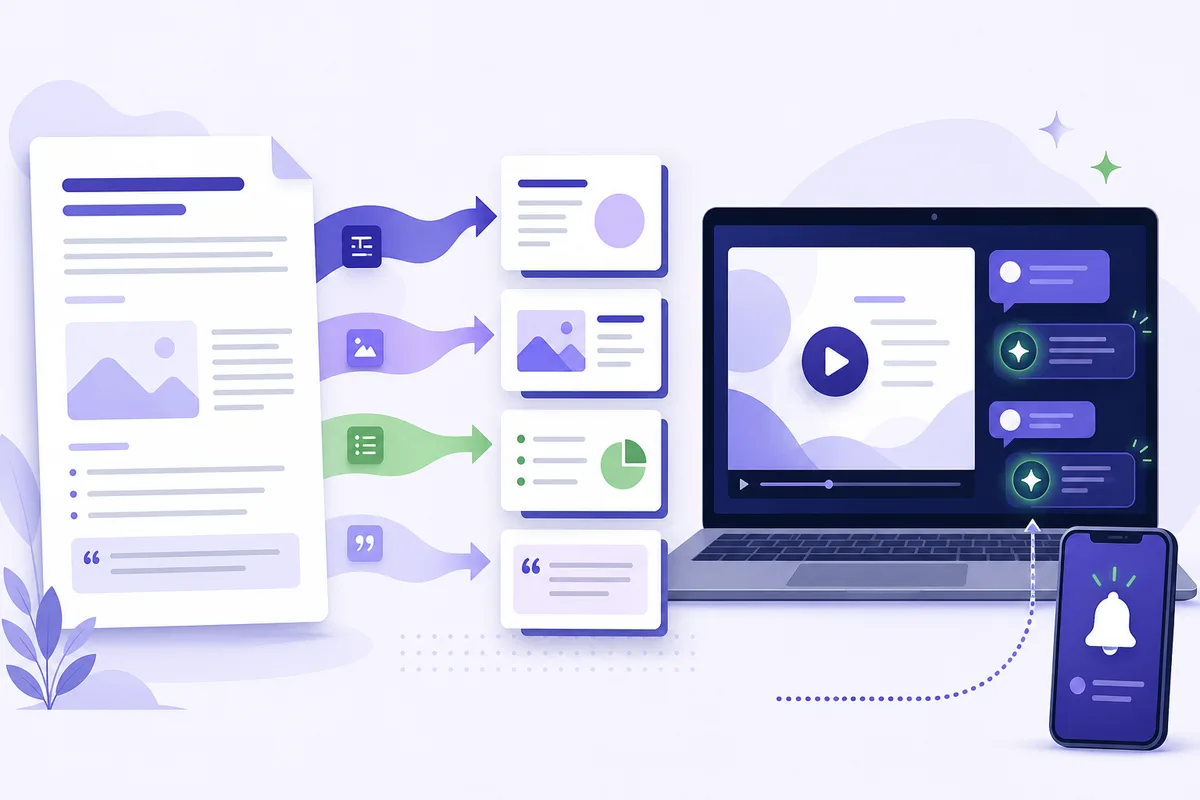
To turn a blog post into a webinar, pick an article that already attracts the right readers and answers a question buyers ask, then reshape it from reading order into talking order: open with the problem, cut it down to three to five key points, turn each point into one or two simple slides, add a short demo or worked example, and finish with one clear next step. Write a spoken script from the post (not a copy of it), record it once, and run it as an on-demand webinar so people can watch whenever they find it. The article gives you the research and structure; the webinar adds your voice, a demonstration and a direct route to a conversation.
This guide walks through how to choose the right post, how to restructure it, how AI can speed up the slides and script, and how to make sure the finished session keeps working for you after you have recorded it.
Why turn a blog post into a webinar?
A good blog post has already done the hard part. You have researched the topic, worked out an argument and, if it ranks, proved that people search for it. Turning it into a webinar reuses that work in a format that does different jobs:
- It moves readers closer to buying. A reader skims and leaves. A webinar viewer has registered, given you their email and chosen to spend time with you. That is a much stronger signal of interest.
- It shows rather than tells. You can demonstrate the thing the article describes: the workflow, the before and after, the product in use.
- It gives you a natural next step from the post itself. A line such as "Prefer to watch? See the 20-minute walkthrough" turns an article into a registration page for warm visitors.
- It suits people who would rather watch than read. Some of your audience will never finish a 2,000-word article but will happily watch a short session on their phone.
- It compounds. Recorded once and run on demand, the session keeps working for months, much as the article does.
If you want the wider case for recorded sessions, our complete guide to evergreen webinars covers how they work and when they make sense.
Which blog posts make good webinars?
Not every article should become a webinar. The best candidates usually share a few traits:
| Good candidate | Poor candidate |
|---|---|
| Answers a "how do I..." or "which should I choose..." question your buyers ask | Short news update or announcement |
| Already brings in relevant traffic or leads | Gets traffic from people who will never buy |
| Has a process, framework or set of steps | Is a long list with no thread running through it |
| Connects naturally to what you sell | Has nothing to do with your product |
| Benefits from being shown (screens, examples, a demo) | Works just as well as text |
| Will stay true for a year or more | Depends on details that change every month |
A practical way to choose: look at your analytics for posts with steady traffic and a reasonable time on page, then ask your sales team which of those topics come up on calls. A post that does both is your best first webinar.
Step 1: Decide what the webinar is for
Before you touch a slide, write one sentence that says who the session is for and what they will be able to do afterwards. For example: "For SaaS founders who demo by hand, this session shows how to run the same demo on demand without losing the personal touch."
Then decide the single next step you want viewers to take. Booking a call, starting a trial or watching a deeper product demo are all fine. Pick one. A webinar with three competing calls to action usually gets none of them.
This is also the moment to decide length. Most articles turn into a 15 to 30 minute session comfortably. If you find yourself planning an hour, you probably have two webinars.
Step 2: Reshape the article from reading order into talking order
Articles and talks are structured differently. A reader can skip ahead, scan headings and go back. A viewer cannot, so the structure has to carry them.
- Open with the problem, not the background. Your post may start with definitions; the webinar should start with the pain the viewer recognises.
- Make a promise. Say what they will have by the end, in one line.
- Cut to three to five key points. Group the article's sections into a small number of ideas. Anything that does not support one of them goes.
- Give each point a pattern: the idea, why it matters, an example, and what to do next.
- Add a demonstration. Show the method or the product working on a real scenario. This is the part the article cannot do.
- Close with a recap and the next step. Summarise the points in a sentence each, then make the offer.
A simple timing for a 20-minute session might be: 2 minutes on the problem and promise, 12 minutes across the key points, 4 minutes of demo, 2 minutes of recap and next step. Adjust to suit your topic. Our guide to writing a webinar script has fuller timings and two templates you can follow.
Step 3: Turn the key points into slides
Slides should support what you say, not repeat it. A few rules keep them clean:
- One idea per slide. If a slide needs a paragraph, split it or say it out loud instead.
- Use the article's visuals. Diagrams, screenshots and tables from the post often make good slides with little change.
- Replace bullet lists with a picture or example where you can. A screenshot of a real workflow is more convincing than four bullets describing it.
- Keep text large. Many people will watch on a laptop or phone.
- Put your next step on the final slide and leave it on screen while you talk through it.
AI presentation tools can produce a first draft of the deck from your article. Treat that draft as a starting point: check that every slide is accurate, remove filler and make the design consistent with your brand.
Step 4: Write a spoken script, not a reading of the post
The most common mistake is reading the article aloud. Written sentences are longer and more formal than speech, and it shows.
Instead, use the post as notes. For each slide, write what you would say to one person sitting across the table. Short sentences, plain words, and the occasional question to the viewer ("Does this sound familiar?"). Read the script aloud before you record and rewrite anything you would not naturally say.
If you use AI to draft the script, give it your article, the one-sentence goal from Step 1, the slide list and the timing, and ask for a spoken script in your tone. Then edit it carefully, and check every claim against your own source material. Our guide to creating a webinar with AI includes prompts you can adapt.
Step 5: Record it once, properly
You do not need a studio. You do need:
- A decent microphone and a quiet room. Viewers forgive average video far more readily than bad audio.
- Your slides and any demo ready to go, with notifications switched off.
- A few takes of the opening. It is the part people judge you on, so it is worth getting right.
Some teams use an AI avatar or AI voice instead of recording themselves. That can work for some content, but for a sales-led session a real presenter usually builds more trust. If you are weighing the options, our AI avatar tools comparison sets out what those tools do.
Edit lightly: trim false starts and long pauses, add captions, and keep the pace up. If you already have a live session on the same topic, our guide to creating an evergreen webinar from a live recording explains how to reuse it instead.
Step 6: Run it on demand and keep the conversation live
A recorded webinar that plays once and is forgotten wastes the work. Run it as an automated or on-demand session so anyone who finds the article can register and watch at a time that suits them.
Set up the basics:
- A short registration page that says who it is for, what they will learn and how long it takes.
- Confirmation and reminder emails so people actually turn up. These ways to lift your webinar show-up rate apply to on-demand sessions too.
- Timed calls to action that appear at the right moment in the recording.
- Follow-up based on what each viewer did, such as how much they watched and what they asked.
The weak point of any recorded session is the moment a viewer has a question. A blog post cannot answer it, and a plain recording cannot either. This is where Webinar Flow is built to help. You record your session once and it runs on a schedule. While people watch, an AI answers their questions in real time, learning from your own material (including the original article, your slides and notes) and from answers you have given before. When a question needs you, or a viewer shows they are ready to buy, a push notification goes to your phone and you can jump into that room straight away by chat or with a full video takeover, then hand back to the recording. In practice, that means you are effectively present in every session, even though you recorded it once.
Step 7: Link the post and the webinar together
The article and the webinar should feed each other:
- Add a call to action in the post, near the top and again at the end, inviting readers to watch the session.
- Embed a short clip from the webinar in the article if your blog supports it.
- Link from the webinar's follow-up emails back to the article and related posts for people who want to read more.
- Update both together. When the advice changes, update the post and re-record the affected section so they never contradict each other.
Our guide to webinar lead generation shows how to use the leads this creates, and our article on building a webinar funnel shows where the session fits in the wider journey.
A quick checklist
- The post already attracts the right audience and answers a buying question.
- You have one sentence describing who the webinar is for and what they will get.
- One clear next step, decided in advance.
- Three to five key points, each with an example.
- A demonstration of the method or product.
- Slides with one idea each and large text.
- A spoken script, read aloud and edited.
- Clean audio and captions.
- A registration page, reminders and timed calls to action.
- A way to answer viewers' questions during the session.
- Calls to action linking the post and the webinar both ways.
Common mistakes to avoid
- Reading the article aloud. It sounds stiff and loses viewers quickly.
- Keeping everything. A post can afford detours; a webinar cannot. Cut ruthlessly.
- Skipping the demo. Showing is the main thing a webinar adds over the article.
- No next step. If viewers do not know what to do at the end, most will do nothing.
- Leaving questions unanswered. A viewer with an unanswered question is a lead going cold.
- Letting the two drift apart. An out-of-date webinar undermines an up-to-date article, and the other way round.
Frequently asked questions
Can you turn a blog post into a webinar presentation?
Yes. A well-structured post already contains the research and argument a webinar needs. Reshape it into talking order (problem, promise, three to five key points, demo, next step), turn the key points into simple slides, write a spoken script from it and record the session.
Can AI turn a blog post into a webinar?
AI can do a lot of the groundwork. It can summarise the article into key points, draft a slide outline, suggest a spoken script and write registration and reminder emails. You still need to check accuracy, edit for tone, add your own examples and record or approve the final session. Some platforms also use AI during the webinar itself to answer viewers' questions from your material.
How long should a webinar based on a blog post be?
Most articles become a 15 to 30 minute session comfortably. Aim for the shortest version that delivers the promise in your title and leads naturally to your next step. If you need much longer, consider splitting the topic into two sessions.
Should I record myself or use an AI avatar?
For sales and marketing sessions, a real presenter usually builds more trust, and you do not need a studio to do it well. AI avatars and AI voices can suit some training or explainer content. Whichever you choose, clear audio and a well-structured script matter more than production polish.
What is the difference between repurposing a blog post and repurposing a webinar?
Turning a blog post into a webinar starts with written content and adds a voice, a demo and a direct route to a conversation. Repurposing a webinar goes the other way, turning a recording into articles, clips and social posts. Many teams do both, so each piece of content feeds the others.
Do I need special software?
You need slides, a way to record, and a webinar platform to host the session and capture registrations. To run it on demand, use an automated webinar platform rather than a meeting tool. Our webinar software guide explains what to look for, and you can compare Webinar Flow with other platforms, such as eWebinar or WebinarKit.
The short version
Your best blog posts already contain a webinar. Choose one that earns the right traffic and answers a buying question, reshape it into talking order, show rather than tell, and give viewers one clear next step. Record it once, run it on demand, make sure every question gets an answer, and link the post and the session together so each one sends people to the other. If you want to see how a recorded session can still feel live, try Webinar Flow or see the plans.
Drafted with AI assistance, then fact-checked and edited by Ian Naylor before publishing.